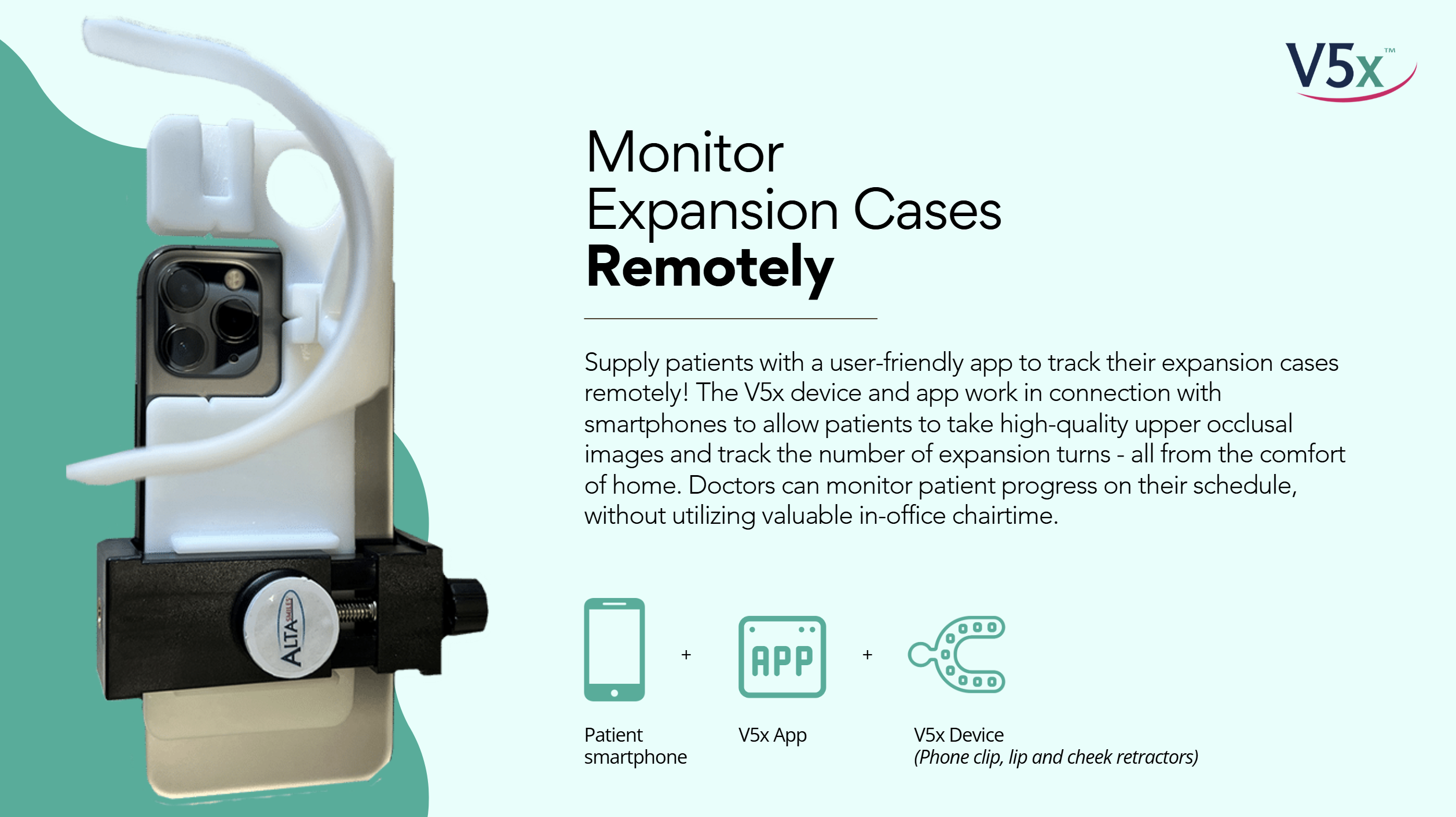
The V5x is a combination set of phone compatible-cheek retractors and access to an app. The app works with any smartphone (provided by the patient), and guides patients through taking high-quality intraoral images that can be shared with the doctor throughout treatment.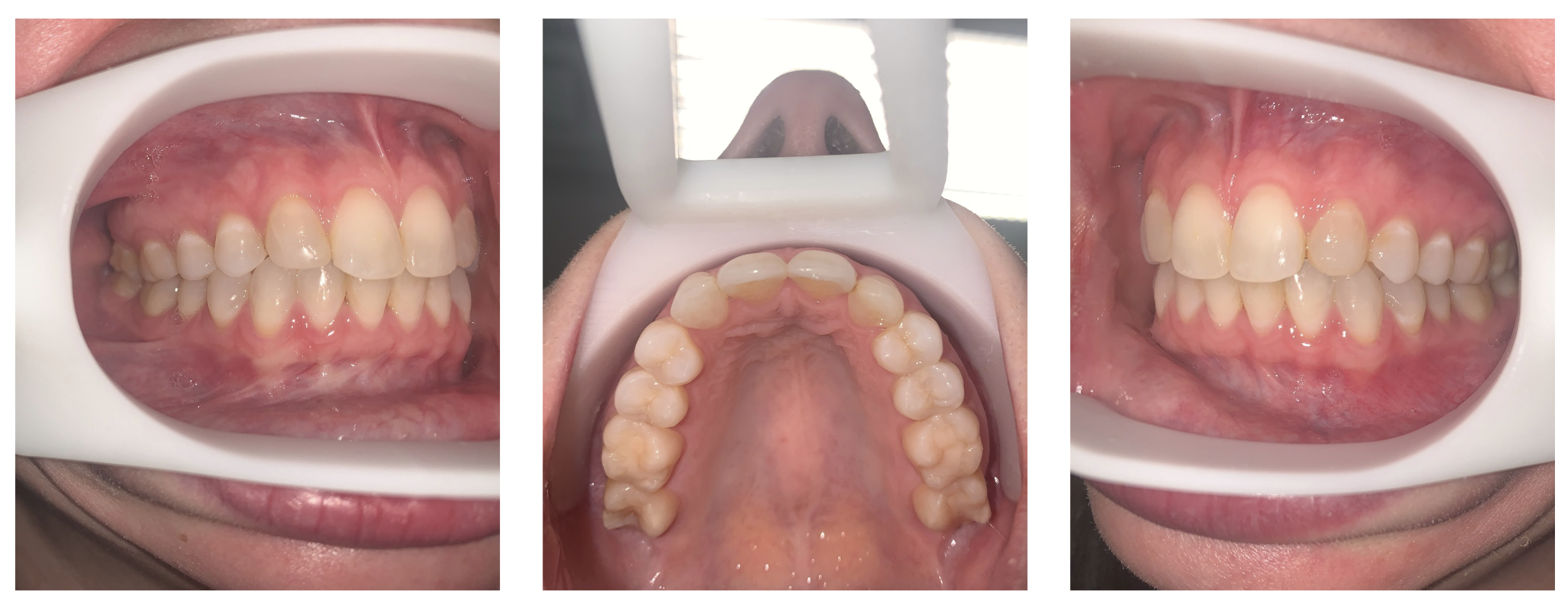
https://www.altasmiles.com/v5x-imaging-solutions/
How It Works
The V5x is available to doctors to order as an add-on to expander treatment.
- The doctor adds the V5x to their expander prescription for an individual patient.
- The lab ships the expander and the V5x device to the doctor. The package will include instructions on how to download and access the app.
- The doctor cements the appliance, and gives the patient the V5x device and app access.
- The doctor tells the patient how often they want to receive progress photos, using a provided contact card.
- The patient takes progress photos as directed by the app, using the V5x device attached to their phone, and submits them to the doctor at their given contact details and frequency.
- The doctor reviews the progress, and can advise the patient, and skip or schedule progress appointments as needed.
Patient Guide
The V5x will be delivered to the patient at the expander insert appointment. The patient will be given the cheek and lip retractors, a carrying case, and information on how to download and use the app.
App Setup
1. Download the app from the app store (iPhone and Android).
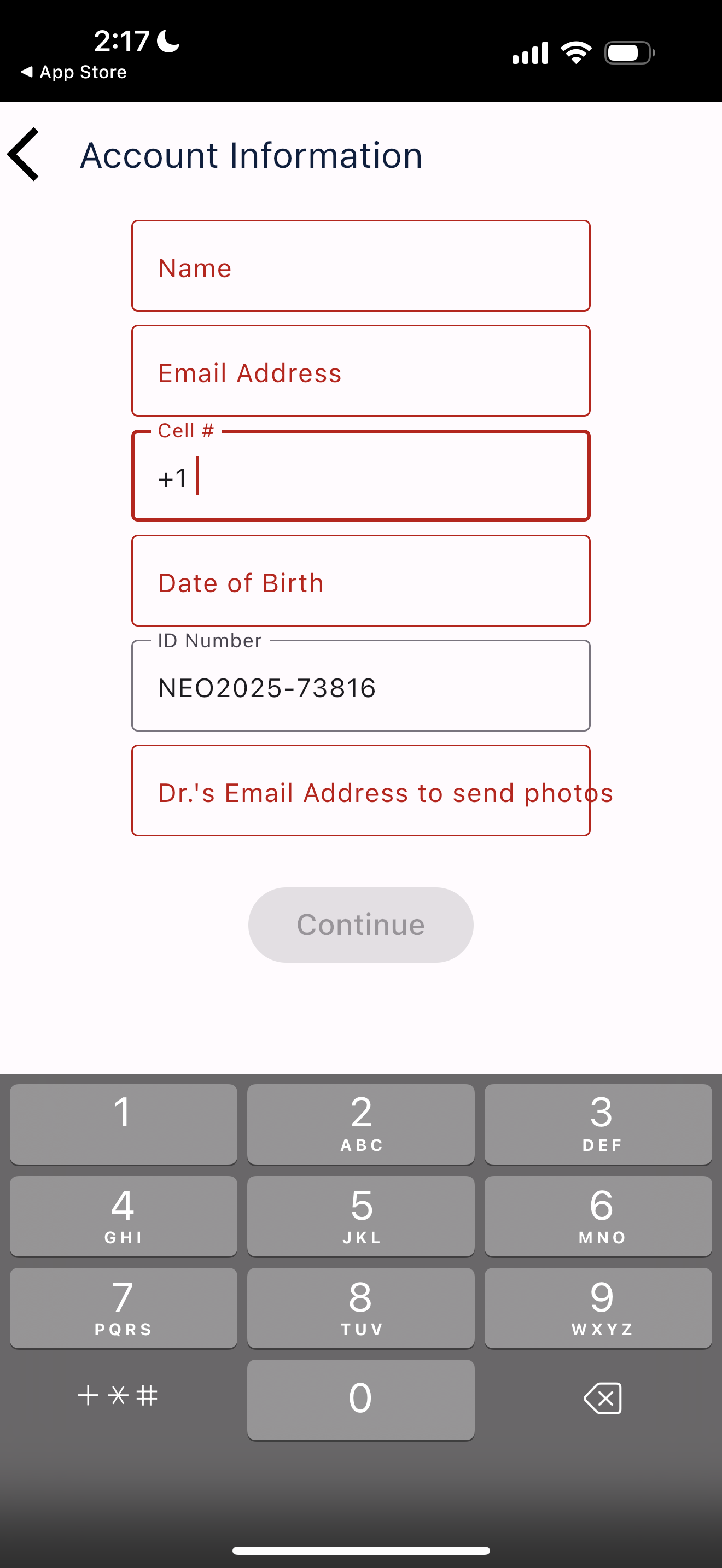
2. Enter patient name, contact information (including phone and email).
3. Enter ID number. This is the NEOLab assigned case number, with a "NEO" prefix. For example, if the case number is 2025-12345, the ID number that should be entered is "NEO2025-12345".
4. Enter doctor email address. This will be stored to allow for easy picture sharing.
Using the App
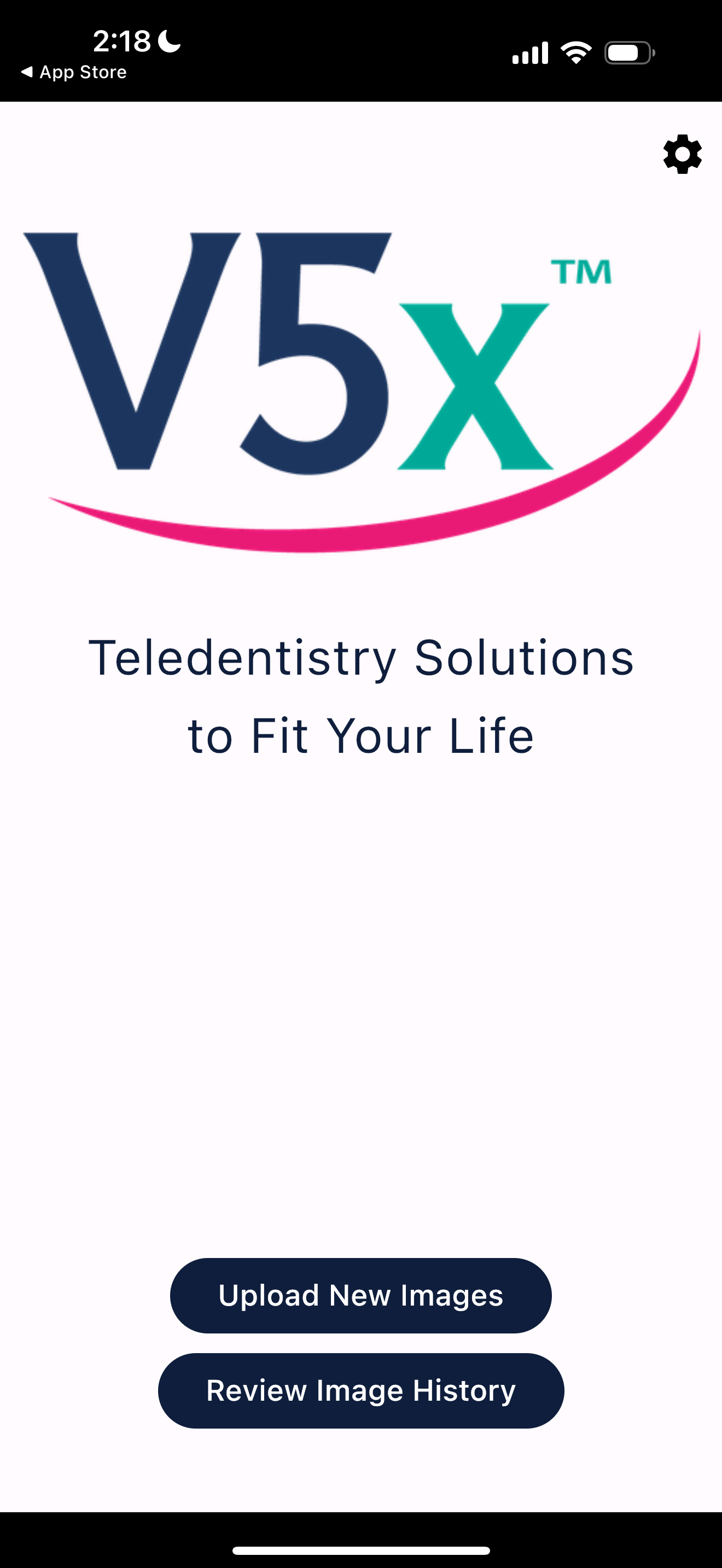
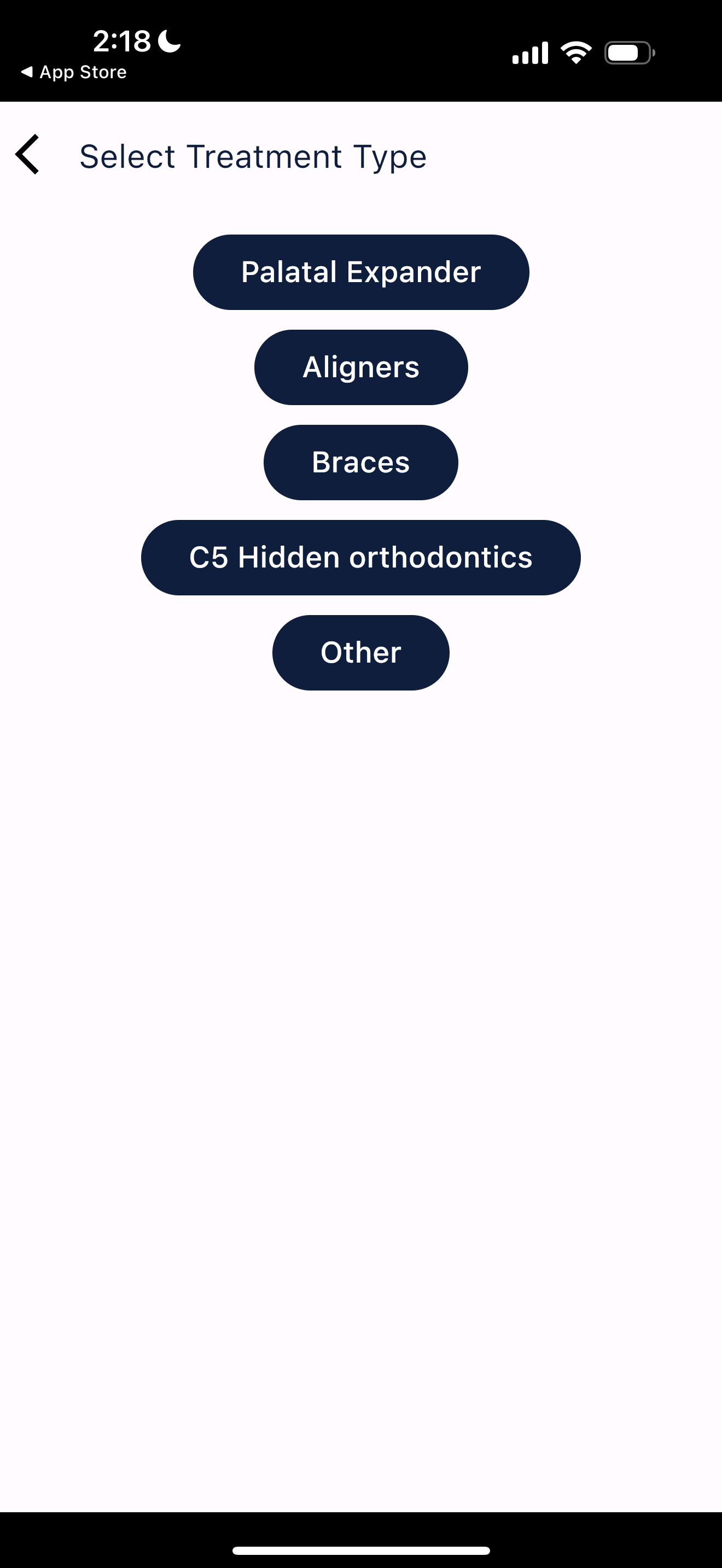
1. To take a new set of pictures, tap on the "Upload New Images" button.
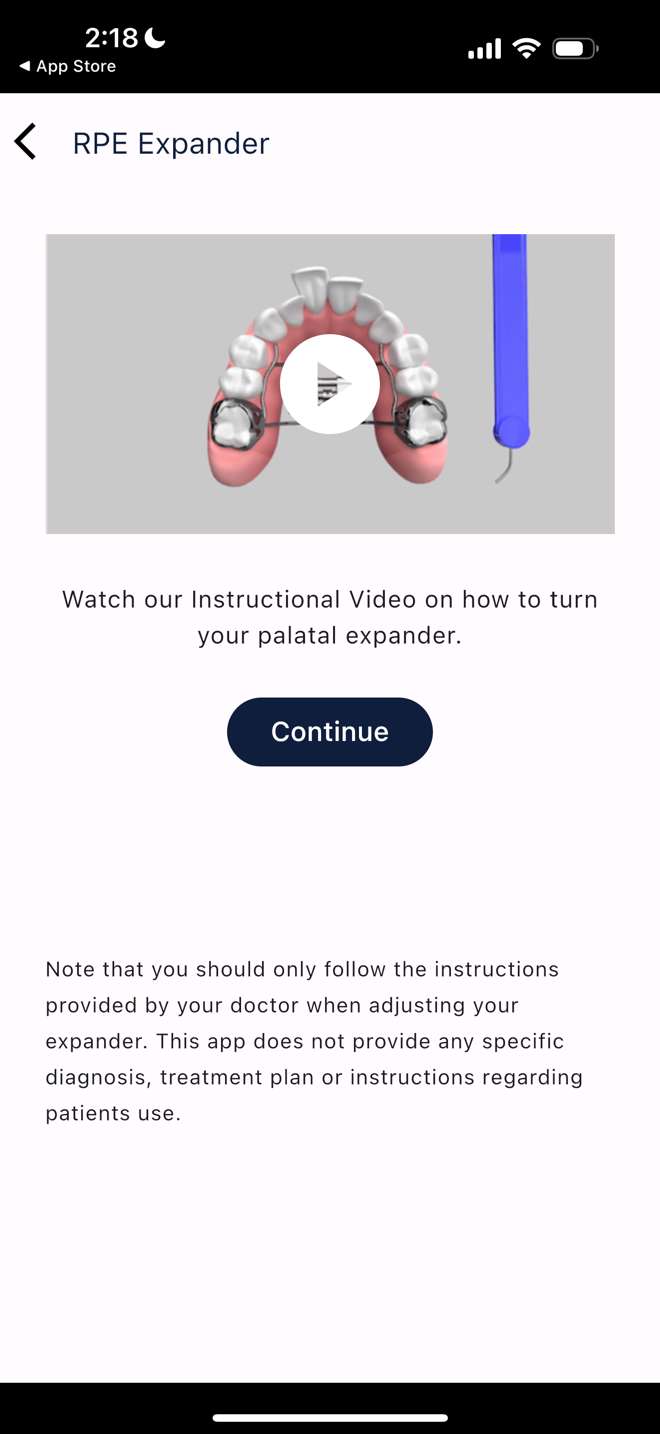
2. If needed, patients can review the instructions for activating their expander.
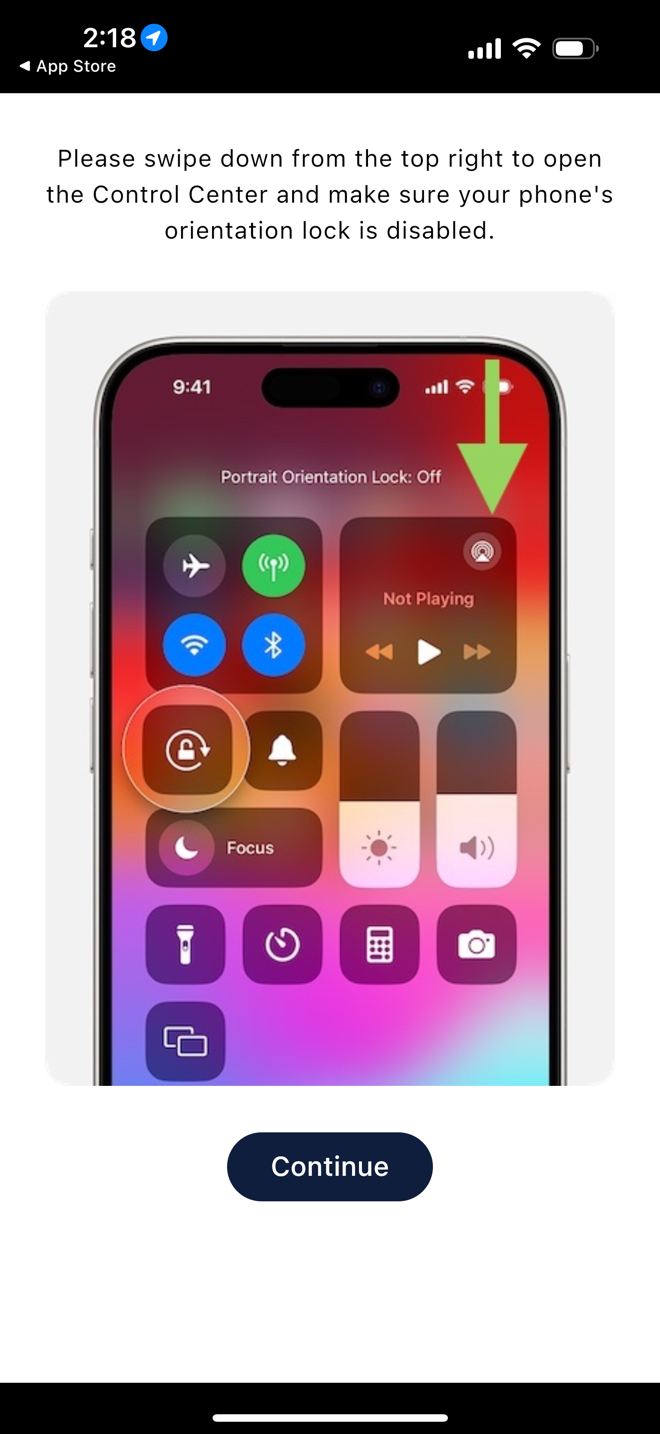
3. If needed, patients are reminded not to lock their phone orientation. Photos are often taken horizontally within the V5x app.
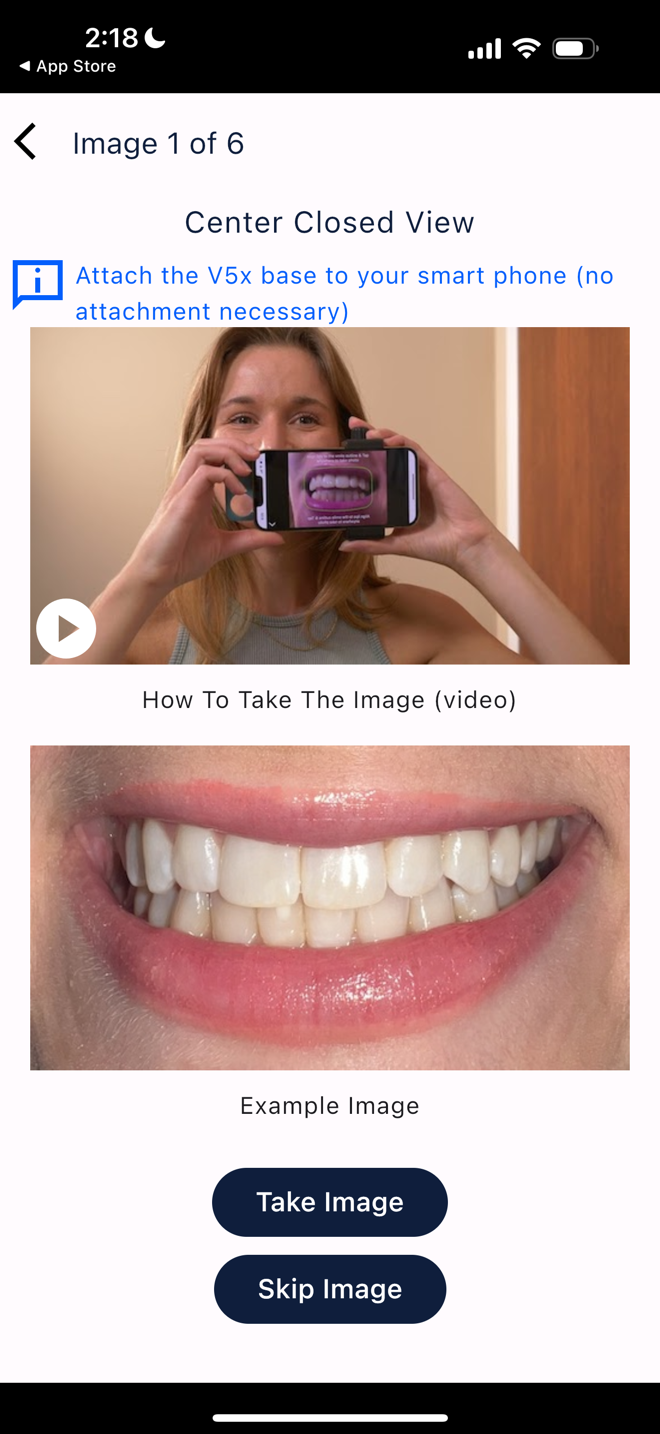
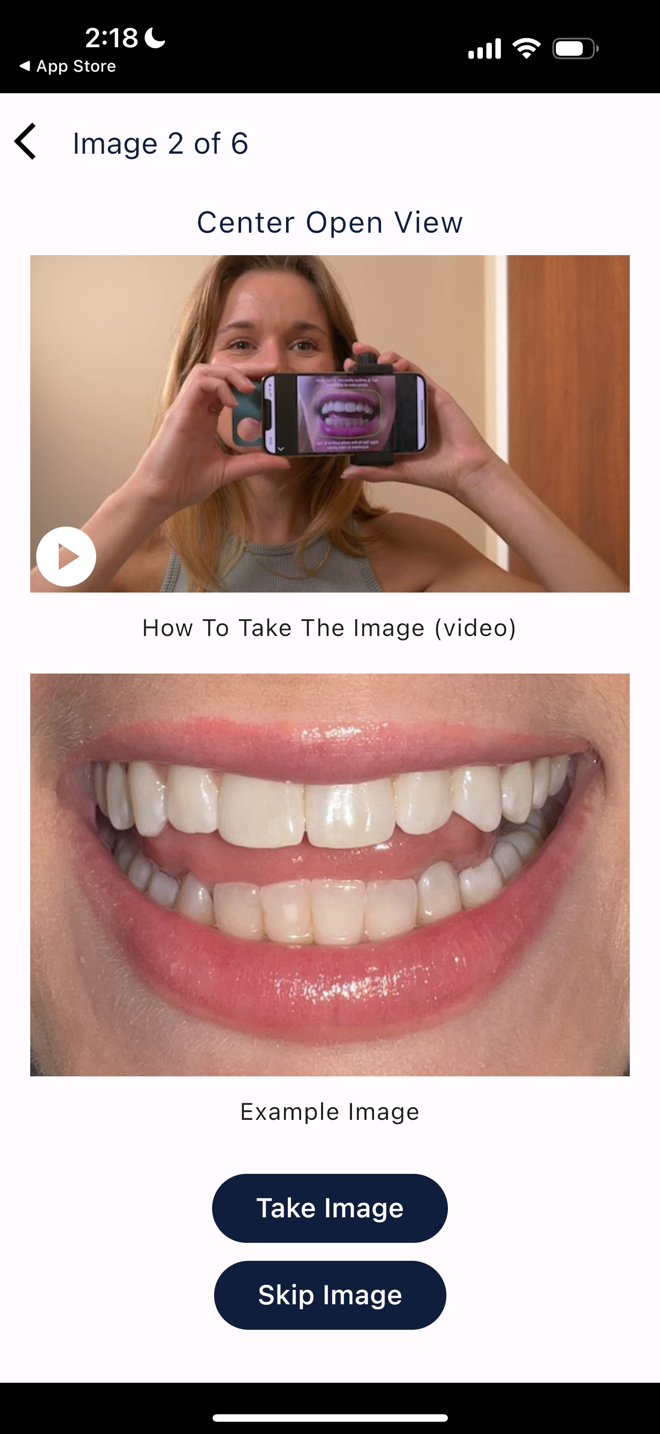
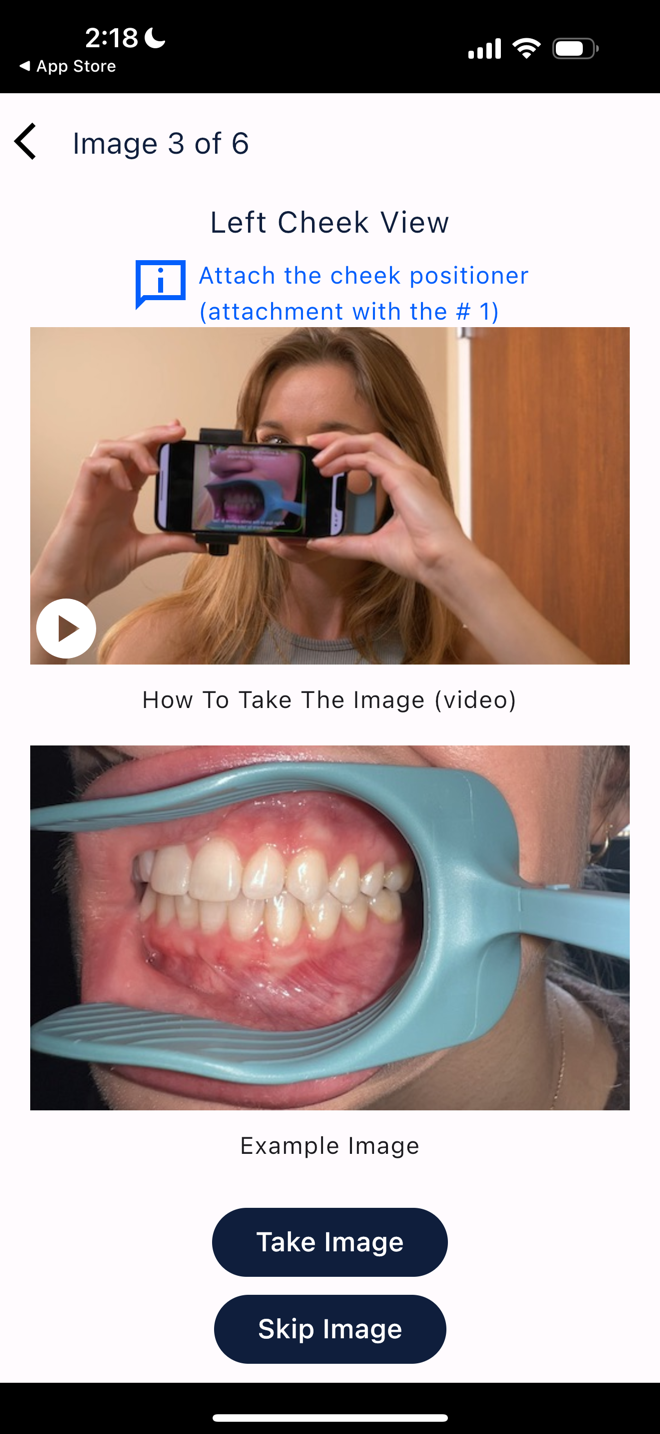
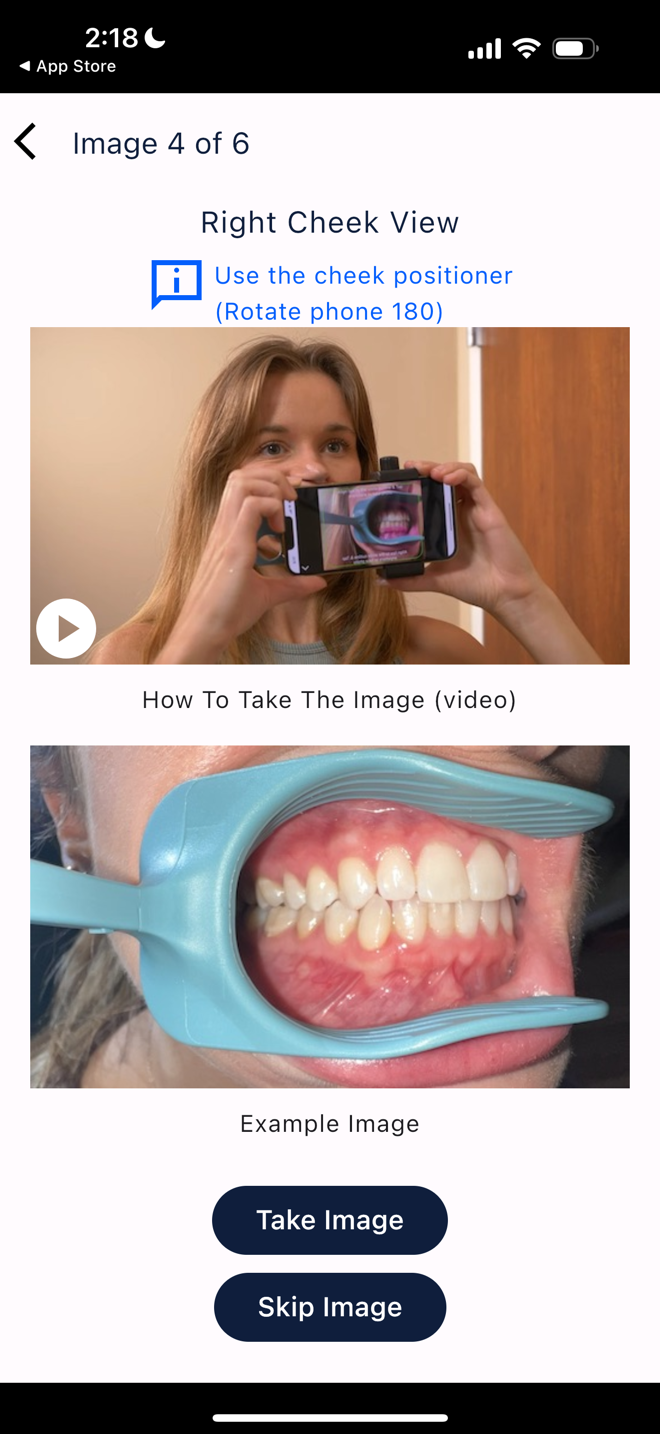
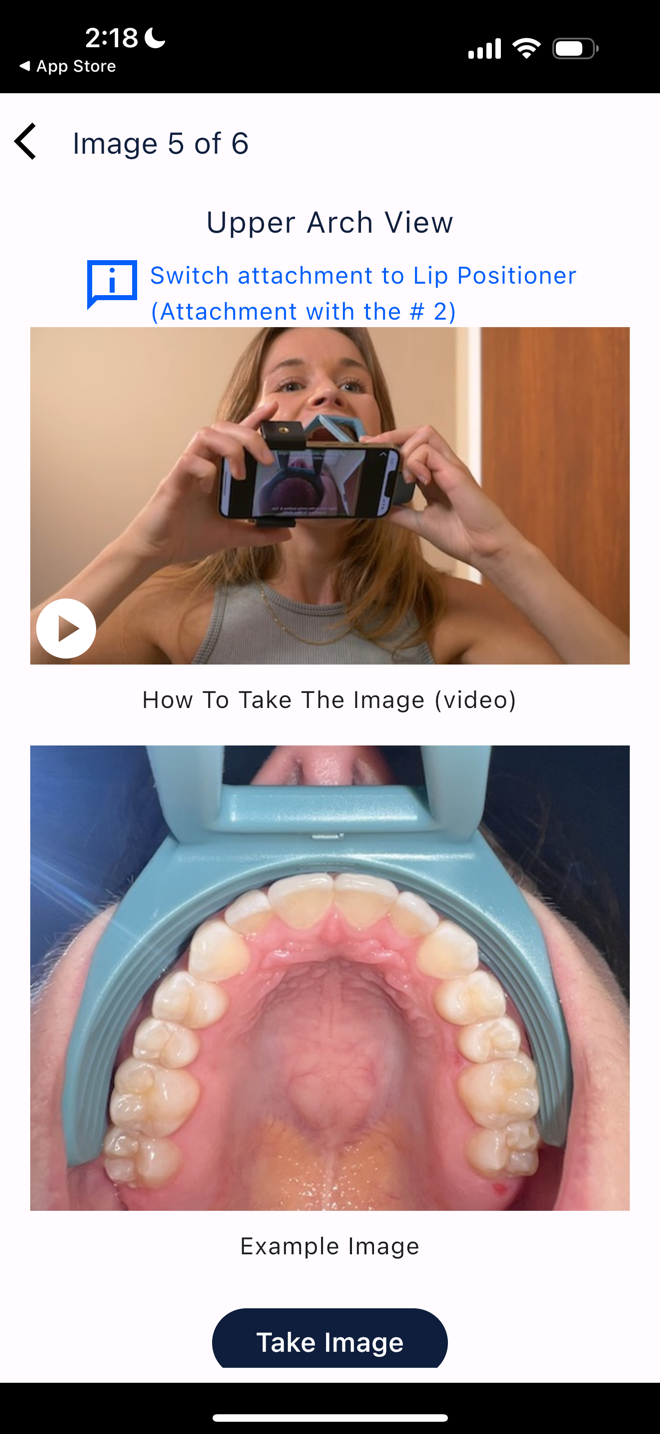
4. Patients are guided on how to hold the phone in order to capture images.
5. Patients are guided through six intraoral photos. This guidance includes holding the phone in the proper position, and instructions on which cheek or lip retractor to use, if needed).
6. While patients are taking the pictures, they will see red text if the phone is not held correctly, and green text when they can capture the correct picture. If the phone is held incorrectly, and the patient attempts to take a photo, there will be a recording instructing them on how to get into the proper position.
 |  |  |  |  |
 |  |  |  |  |
Sharing Pictures
1. Patients can share pictures as soon as they're taken, or later by visiting the "Review Image History" tab and selecting the photos.
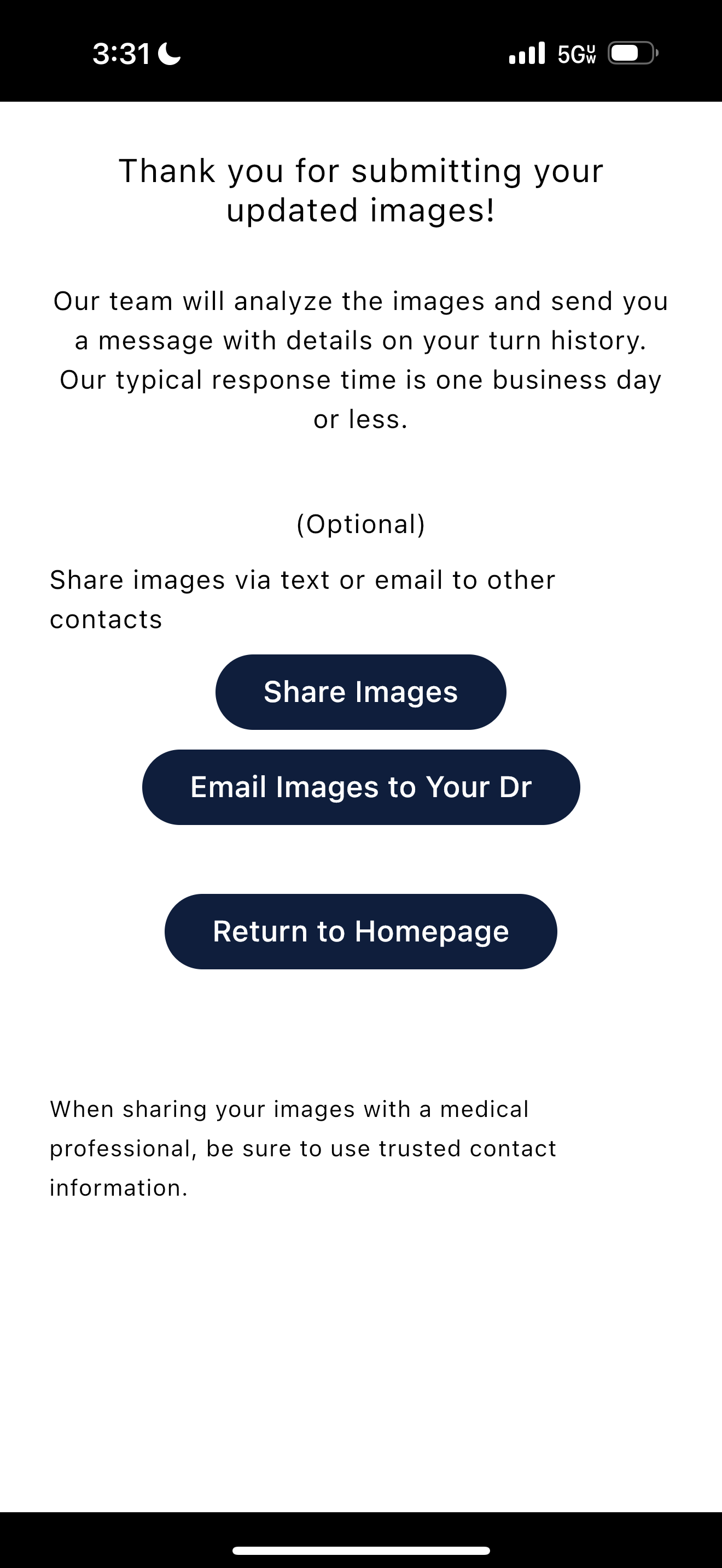
2. By tapping "Share Images", patients can choose to text or email the pictures to their doctor.
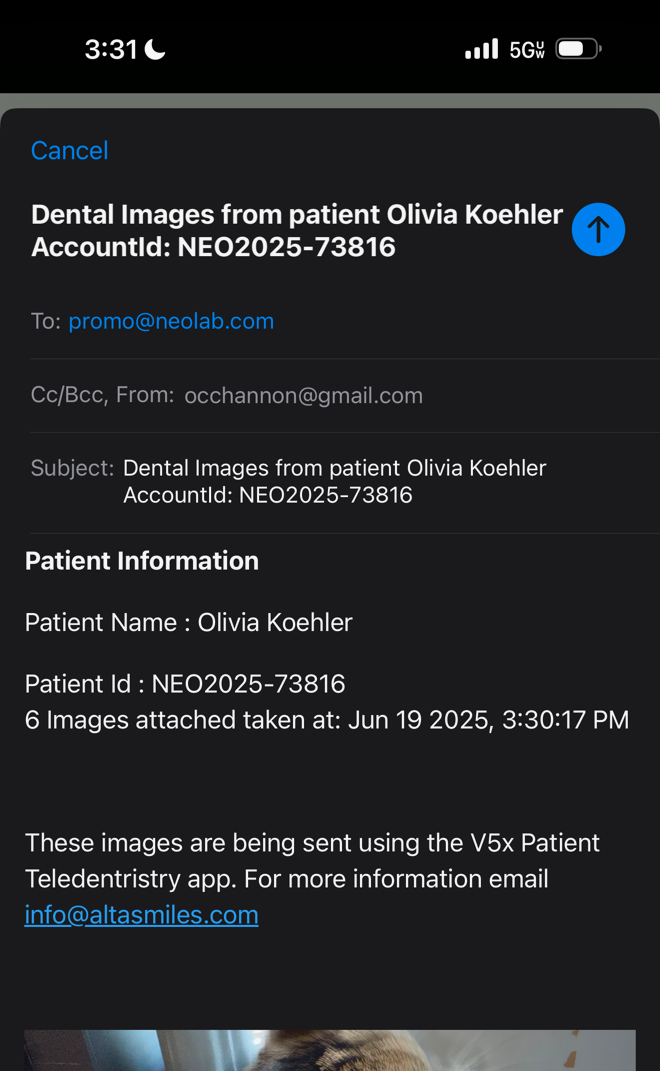
3. By tapping "Email Images to your Dr", patients can share images in a pre-written email, which will send to the doctor email address saved during App Setup.
 |  |
What It Includes
The V5x includes the device (cheek retractors and phone clip) and individual access to the photo app. The doctor will order the V5x as an add-on to expander treatment, and the cheek retractors will ship with the appliance. The patient will receive access to the app as part of their package, but the app is managed and run by our partner, Alta Smiles.
The patient will receive a set of different sized cheek and lip retractors to find their most comfortable fit. The sizes range from S-XL.
The device and app access are available for $65 add-on.
Who It's Meant For
The V5x is meant for doctors who want to lower the amount of chairtime required for expansion check-in appointments, or doctors who want to monitor their expansion cases remotely.
- It's a good suggestion for doctors who may be newer to expansion treatment (like pediatric doctors), and want to keep a closer eye on things than regular check-in appointments would reasonably allow.
- It's a good suggestion for doctors who have busy practices, and want to be able to check in on progress on their own schedule, rather than using up valuable chairtime for routine checkups.
- It's a good suggestion for doctors who want to provide a more interactive treatment experience.
- It's a good suggestion for doctors who are concerned about individual patients and their ability to correctly turn the screw. Remote monitoring will allow them to catch issues up front, without wasting months on incorrect activations.
V5x can be used for all expander screws to take pictures to monitor treatment progress.
Who It's Not Meant For
The V5x is not meant for patients who:
- Do not have a smartphone (iPhone and Android)
- Cannot provide photos at regular intervals (compliance concern)
The V5x is not meant for doctors who:
- Cannot or will not provide contact information to patients
- Want to see patients in-office at all appointments
How Does This Solution Fix My Problem?
The V5x is a solution for monitoring expansion cases remotely, engaging patients in treatment and for verifying expansion progress from afar. This device can offer solutions when chairtime is at a premium, when patient progress is a question, when progress appointments can't happen as often as the doctor would like, and when doctors want to engage their patients more actively in their own treatment.
How to Order
To access the Relapse prescription, select the following options in your RX Wizard prescription:
- Impression > Physical or Digital
- Type > Fixed or 3D SLS
- Category > Expanders
- Appliance > Rapid Palatal Expander (RPE)
Complete your expander prescription as desired.
In the Addons section, select the checkbox to add V5x Remote Monitoring.
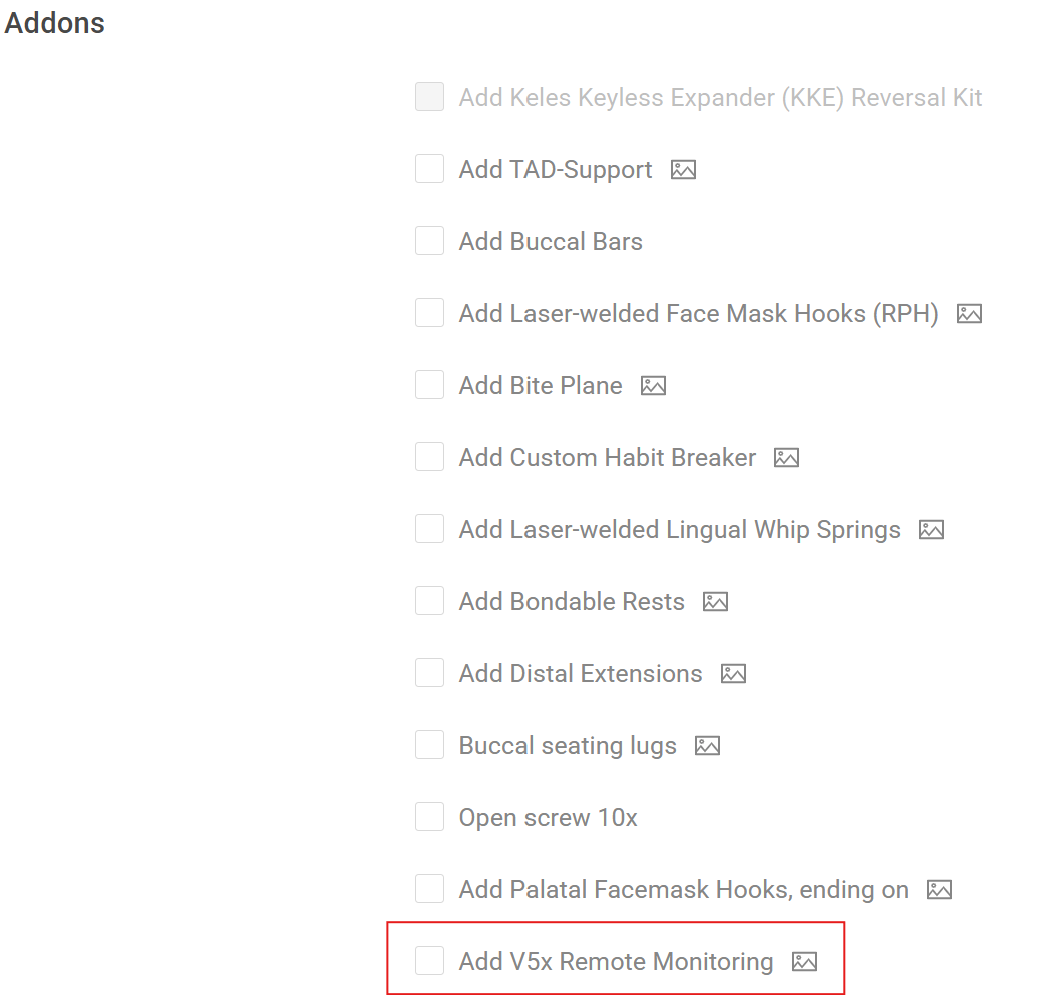
Select your Due Date (the date the case should be back in your office by), click Continue, and hit Submit to Lab.
Options
The V5x cheek retractors come in sizes S - XL, and the lip retractors come in M and L. Patients will receive a full set with one of each size range and will be able to choose the sizes that fit them best.
The V5x app is compatible with iPhone and Android, but a smartphone is required.
Files
In this section, find:
- A shareable ordering guide for doctors
- The V5x Quick Start Guide for doctors
- Instructions for patient included in the appliance shipment
- The Patient Instruction Card contains information about how to setup the app and access the account.
- The Doctor Contact and Instruction Card contains fields for the doctor to instruct RPE activations and provide contact information.
- A sharable Marketing Flyer
Was this article helpful?
That’s Great!
Thank you for your feedback
Sorry! We couldn't be helpful
Thank you for your feedback
Feedback sent
We appreciate your effort and will try to fix the article