For users with a Web Technician role, production steps are completed on Desktop.
Navigate to the Case Edit Page of your desired case. For more information about to how access this page, reference the Click & Scan article.
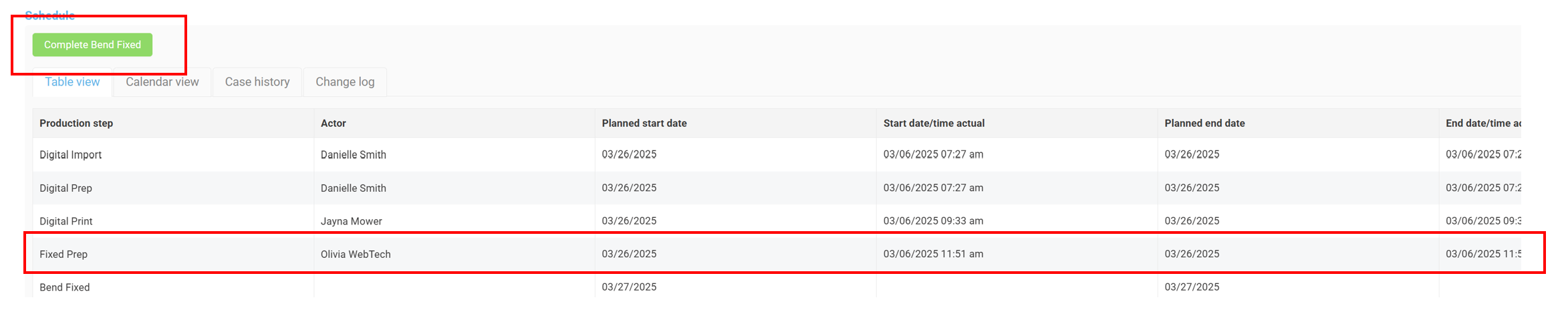
At the bottom of the Case Edit Page is the Schedule, which holds the production table.
- The green "Complete" button is located at the top of the production table.
- Click the Complete button once to complete your production step(s).
- Your name and the date will be recorded in the production table.

Note: You can only complete production steps that have been assigned to you.
Once your production step is completed, your mouse cursor will be returned to the Click & Scan field to search for another case.
Was this article helpful?
That’s Great!
Thank you for your feedback
Sorry! We couldn't be helpful
Thank you for your feedback
Feedback sent
We appreciate your effort and will try to fix the article