The Case Review Page is our access to production within an RX Wizard case. It is the page where the production schedule for that particular case lives, where production steps can be completed by Web Technicians, and where we can track whether a case is on schedule for an on-time Ship Date.
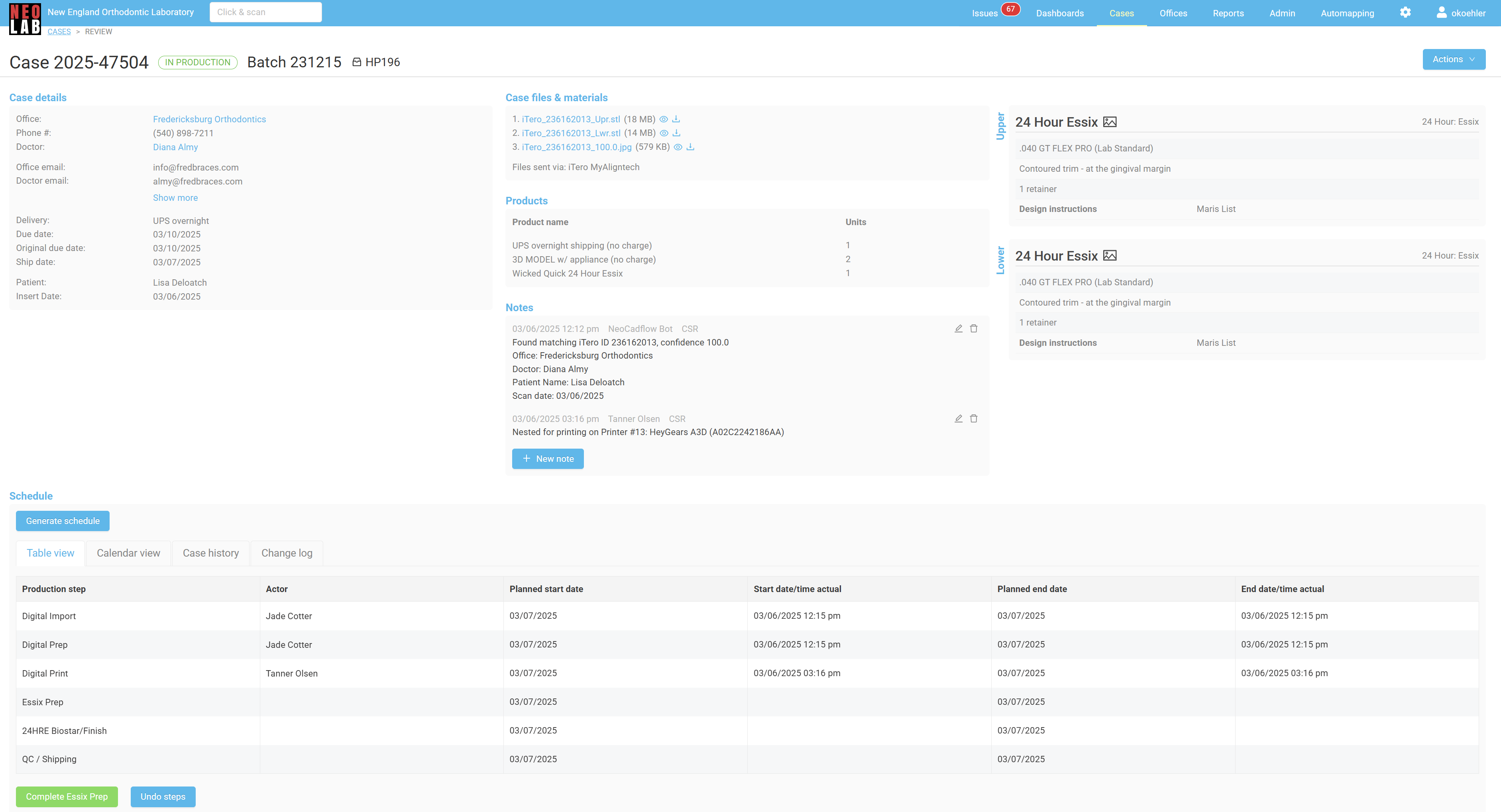
The Case Review Page contains several different sections.
The top half of the page features a summary of all the details found on the Case Edit page.
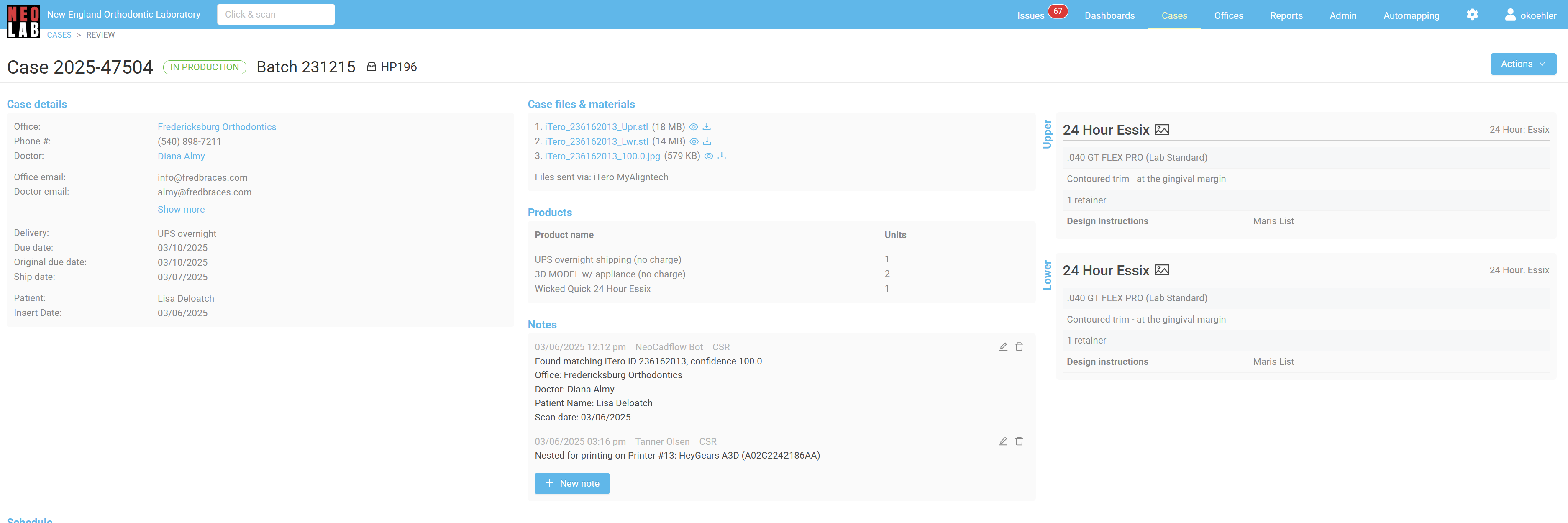
The second half of the page contains details related to the production Schedule. The schedule and production steps that create it are controlled by the products included on the case.
The first view, Table View, allows us to see the full list of production steps required by this case. This will help us understand the path of the case through the lab. As steps have been completed, we can see which step is next, which helps us understand where in the lab the case is likely to physically be. For example, in the schedule below, we see that the case has finished Digital Print, but hasn't yet started Essix Prep. This means the pan is likely in the Essix department, waiting to be started.
The production table also keeps a record of who completed the production step, and when. This is helpful not only for recordkeeping purposes, but meets an FDA requirement, and enables us to calculate production metrics.
Finally, the production table has an anticipated date of when the production steps should be started. If cases start missing these expected dates, they will be marked as "Behind Schedule", standing out on production dashboards and reports. Production technicians and supervisors pay special attention to ensure cases that are behind schedule start moving again.
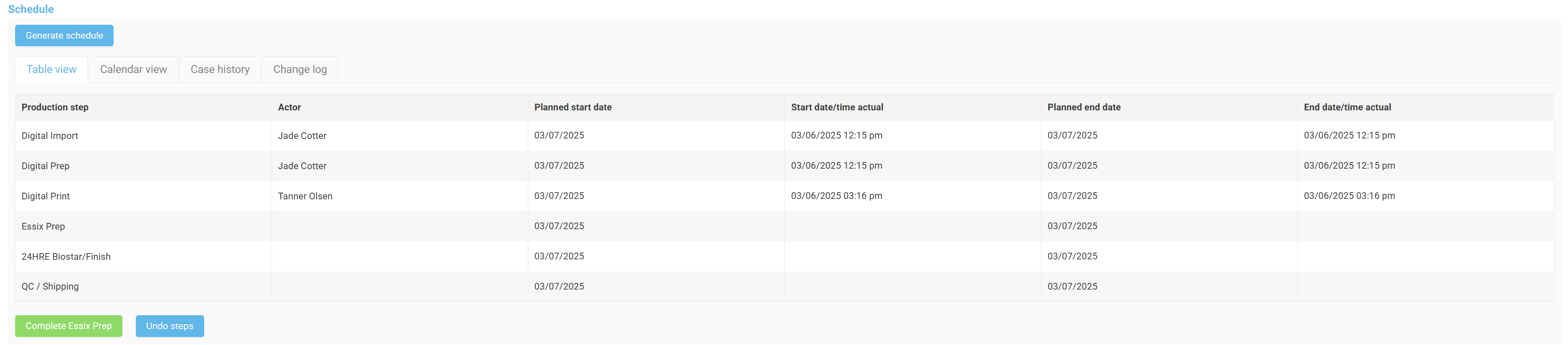
The second view, Calendar View, offers an alternative visual of the production table. All the same information is found in this view, it is just presented differently.
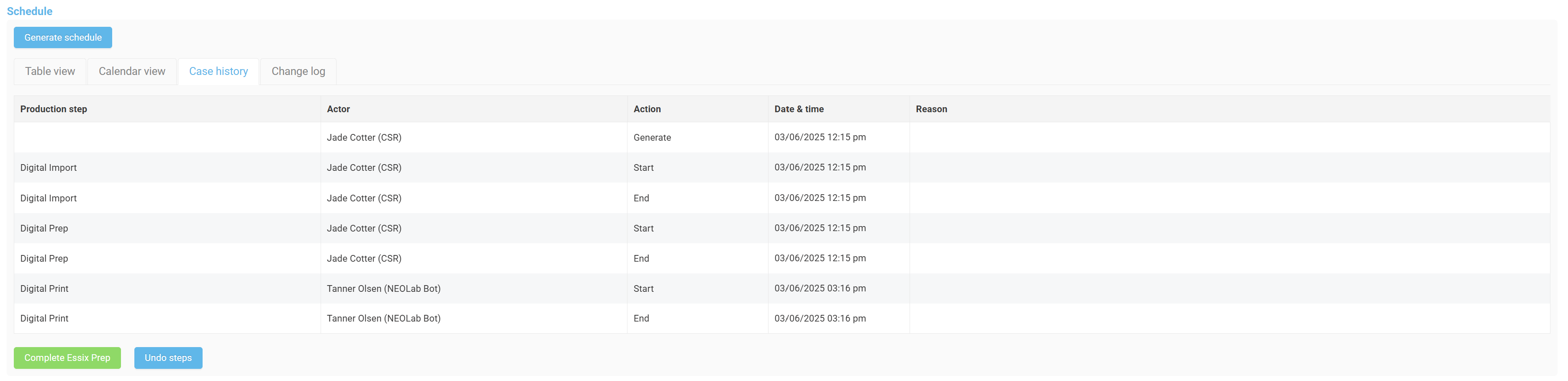
The third view, Case History, shows a detailed log of who accessed the case, what action they took, and when. This information can be especially helpful when investigating problems, whether that's related to an RX Wizard issue, when a production step is missed by the technician who was supposed to scan it, or when the doctor has questions about their actions on a case.
Some actions on cases are completed automatically. These will be noted by "Bot" accounts.
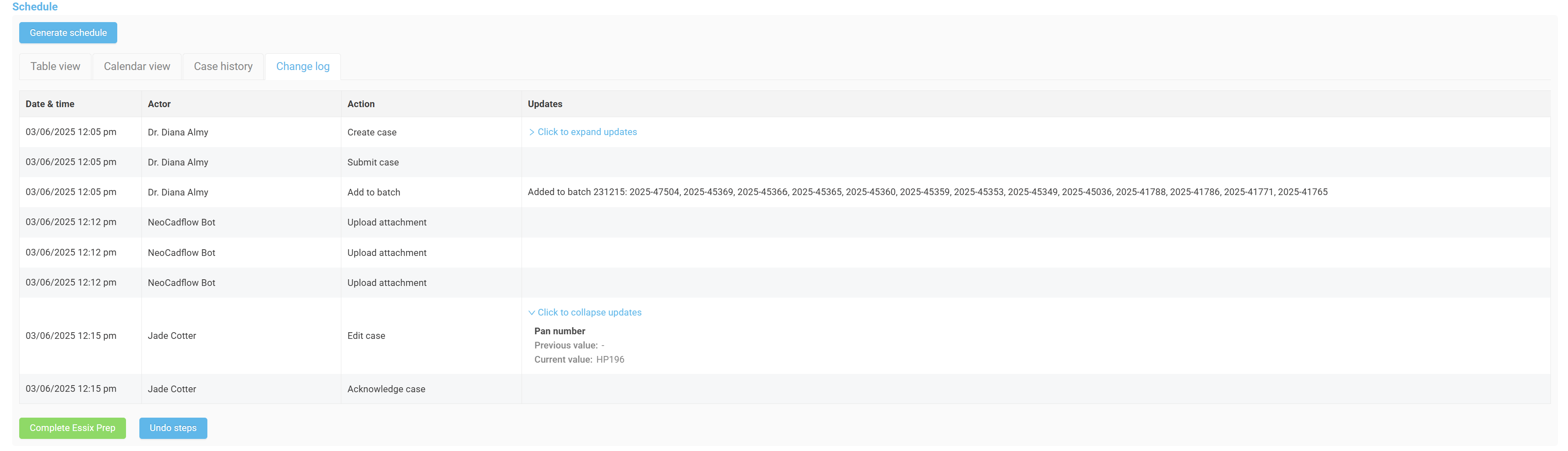
The final view, Change Log, contains more information used in tracking the movements related to this case. In this tab, we see when cases were created, Submitted by the doctor, Acknowledged by the NEOLab team, whether or not the case was edited, and what was changed.
Whenever changes to the assigned details of the case are changed, like pan number, Due or Ship Dates, and products, we can click the "Click to Expand Updates" link, and see more information.
Other Case Review Page Features:
The Case Review Page also contains several action items held within the Actions menu in the upper right-hand corner. These items will be covered in other articles.
Completing Production Steps:
The instructions to complete production steps are covered in another article.
Was this article helpful?
That’s Great!
Thank you for your feedback
Sorry! We couldn't be helpful
Thank you for your feedback
Feedback sent
We appreciate your effort and will try to fix the article