Remake cases have returned to NEOLab, either for repair, because the case was made incorrectly, or because the patient needs a duplicate (i.e. lost retainer). Because these cases require a bit more attention, they contain extra fields with more information.
This article will cover only the additional fields present on a Remake / Repair case on desktop. For the full explanation of the Case Edit Page and the Case Review Page, please see the linked articles.
TABLE OF CONTENTS
___________________________________________________________________________________________________________________________________
Completing Remake Fields
We may receive a remake case in a number of different ways, whether it's as a returned appliance, initiated as a phone call, or by receiving a new prescription with notes about a remake. In any case, we must mark the case as a remake, and fill out fields that collect data on what went wrong.
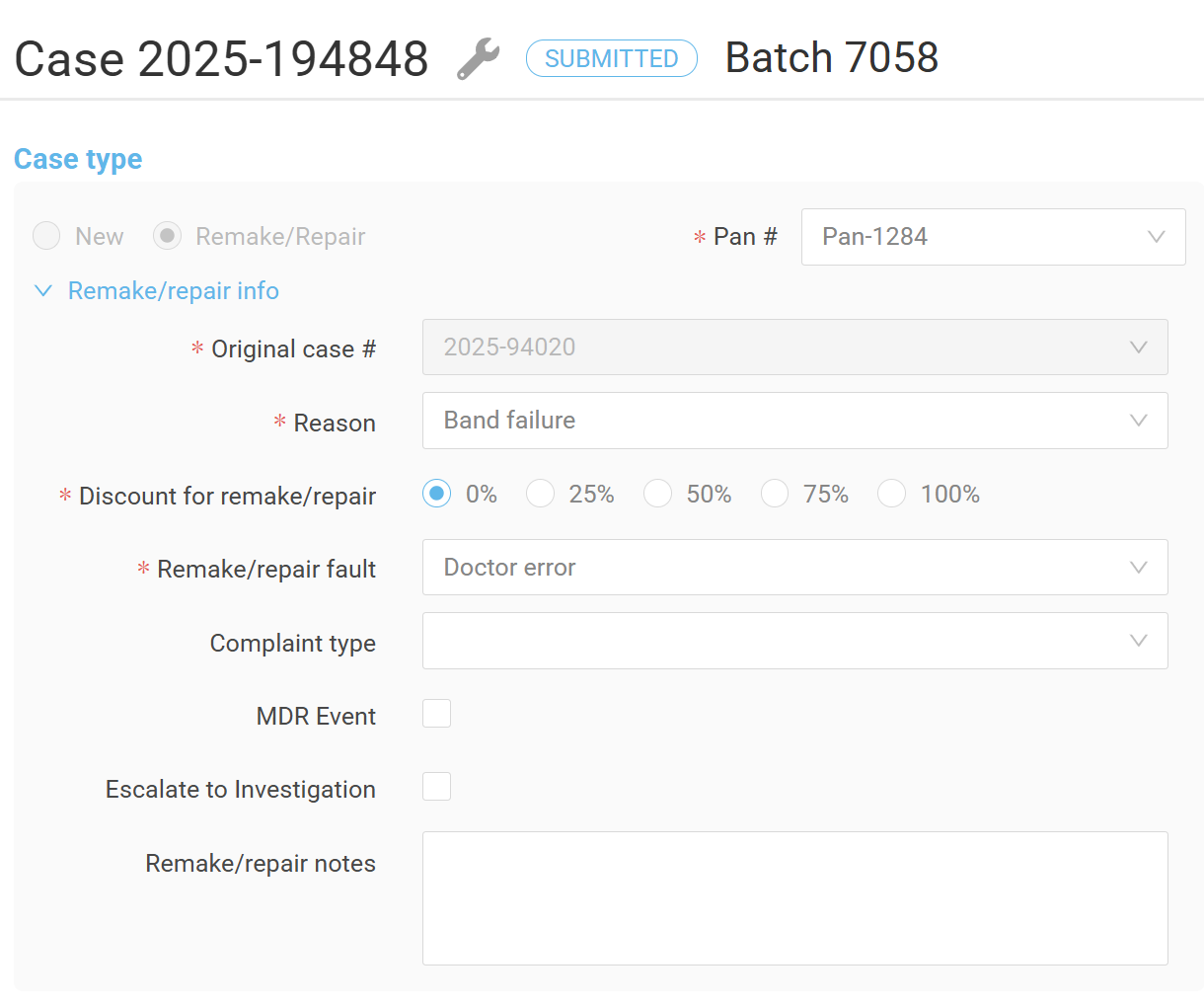
Remake cases will feature an additional section over New cases, and will collect information relevant to the reported issue. These fields include connection to the original case, the reason for failure, any discount, who was at fault, remake notes, and various FDA-governed fields.
| Field | Action | ||||||||||||||||||||||||||||||||||||||||||
| Original Case # | Remake cases are returning to the lab. Enter the original case number in this field to tie this new case to the old one. | ||||||||||||||||||||||||||||||||||||||||||
| Reason | There are a number of preloaded reasons that something might have gone wrong with the case. After reading notes, or discussing the case with the office, select the remake reason that best applies to this case: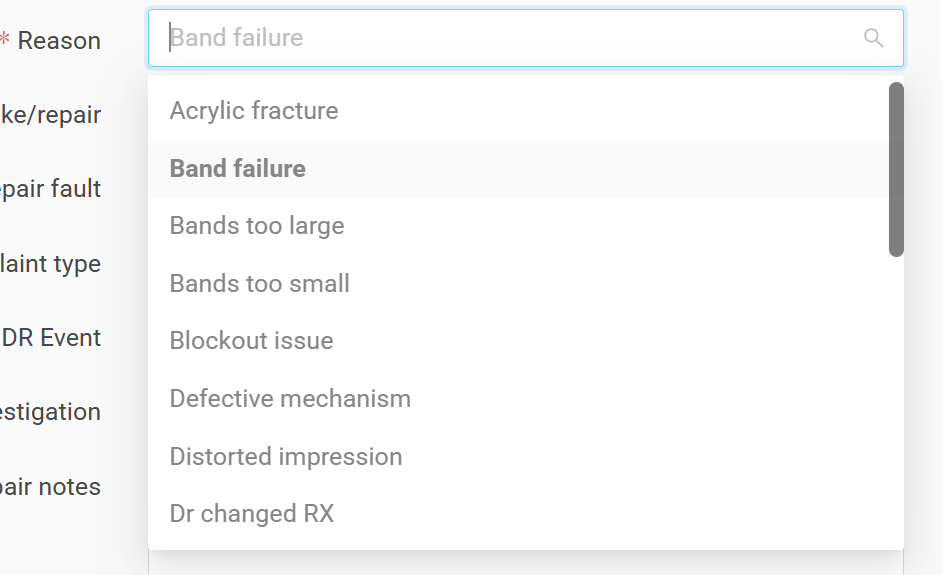
| ||||||||||||||||||||||||||||||||||||||||||
| Discount for Remake/Repair | Select the discount that should apply to this remake. While this will vary case by case, in general, cases that receive a 100% discount are fully remade without charge because of some error that was not the doctor's fault (manufacturing or shipping errors). Cases that receive a 0% discount are full charge because they were the doctor or patient's fault (patient lost retainer or the doctor changed their mind). | ||||||||||||||||||||||||||||||||||||||||||
| Remake/repair Fault | After reading notes, or discussing the case with the office, select the fault reason that best applies to this case:
| ||||||||||||||||||||||||||||||||||||||||||
| Complaint type | Not all received remakes are considered true complaints in the eyes of the FDA. Select the type of complaint that applies to this case:
| ||||||||||||||||||||||||||||||||||||||||||
| MDR Event | An MDR (Medical Device Reportable) event is one in which a patient is seriously injured or killed, and the appliance is suspected to have contributed. The risk of an MDR event occurring is exceptionally low at NEOLab. This is a major issue, and one that puts NEOLab under much stricter reporting deadlines. in the event that any of the following criteria have been met, check the checkbox and immediately inform a member of the compliance team:
| ||||||||||||||||||||||||||||||||||||||||||
| Escalate to Investigation | This checkbox should be clicked when:
| ||||||||||||||||||||||||||||||||||||||||||
| Investigation Notes | This field will appear when the "Escalate to Investigation" checkbox is clicked. You should not need to complete this field. Rather, it will be used by team members who are investigating the issue to find a root cause. | ||||||||||||||||||||||||||||||||||||||||||
| Remake/repair notes | Add any notes that are relevant to the remake case. This might include notes from conversations with the doctor or other information learned about this particular case and the reason it's being remade. |
Identifying Remake Cases
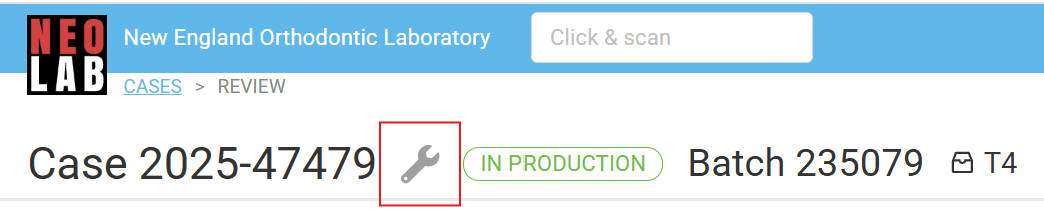
Remake/ repair cases both contain additional icons to help users quickly understand what type of case they're working on. The wrench icon indicates this case either needs to be fixed or corrected.
Remake Notes
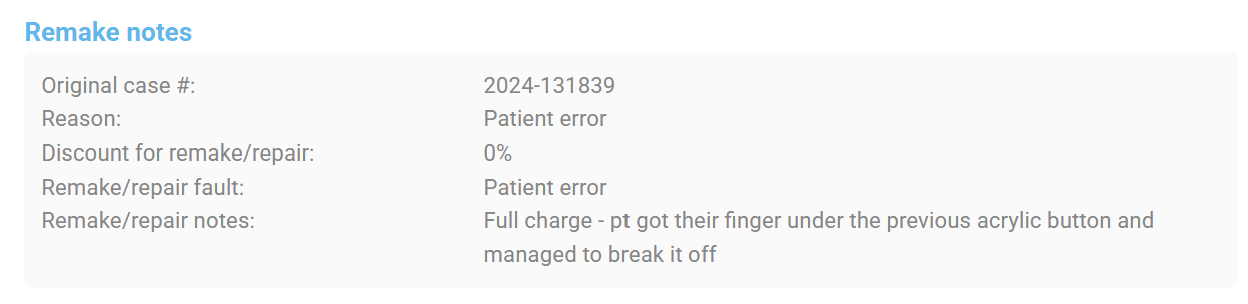
Remake cases feature dedicated a Remake Notes section. This field is completed by the doctor as they submit the case, or by the NEOLab team member checking the case in. Sometimes, doctor notes help to explain what happened with the case, and what went wrong. In the example below, the patient broke the appliance, meaning we'll remake the case, but at full price.
Sometimes, these notes are omitted by the doctor, and so the NEOLab team member dealing with the case will include any notes that are relevant from their conversation with the doctor. In this example, the doctor didn't include any notes, but one of the Customer Service Representatives spoke with the office and got more information. This is helpful in understanding what went wrong with the original case.
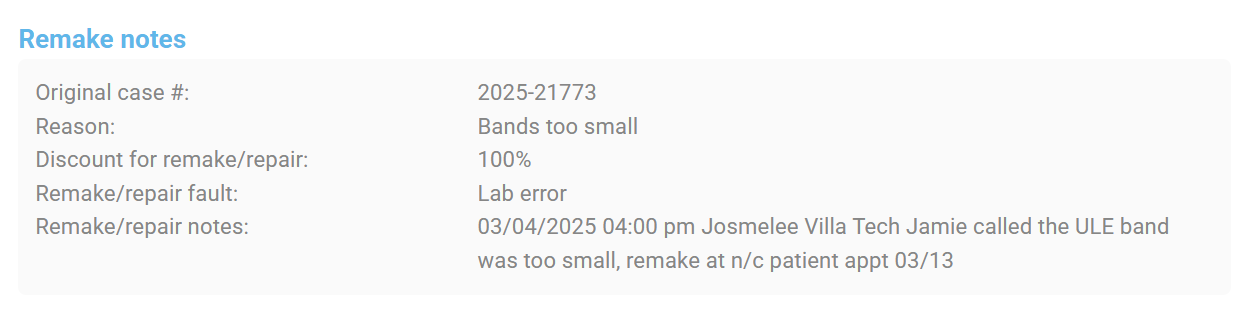
In both cases, we can see the reported reason for the remake or repair, what discount the case is being given, and who was at fault for the issue. Generally, if the lab is at fault, the remake is provided at no charge (100% discount).
Prescription Comparison Tabs
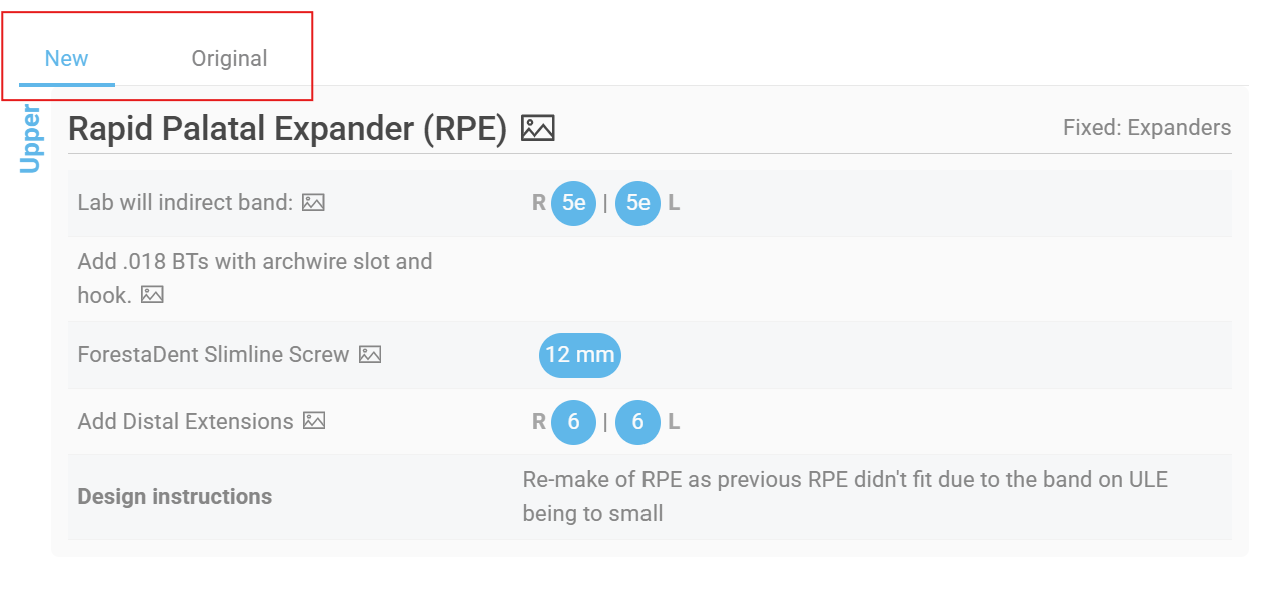
The other major difference is found in the Prescription section. In a remake case, there is a toggle that allows a user to switch between the original prescription and the remake. This is useful in comparing the reason for a remake, or in highlighting what was missed by the lab in the original prescription.
Most often, the original and new prescription are identical, or very similar, but occasionally, a doctor will totally change their design or even appliance.
Was this article helpful?
That’s Great!
Thank you for your feedback
Sorry! We couldn't be helpful
Thank you for your feedback
Feedback sent
We appreciate your effort and will try to fix the article