RX Wizard is the custom prescription management portal developed by NEOLab. This software allows for doctors to create, manage, and track their laboratory cases, while fully running production operations inside the lab.
Because RX Wizard is a custom software, there is some custom terminology that is used throughout the system. This article will provide definitions and examples of these instances.
For more information on how to use RX Wizard, please consult the Knowledge Base for your specific topic of interest.
___________________________________________________________________________________________________________________________
Case Status
There are a number of different case statuses available in RX Wizard, which help to describe the current position of the case within the system.
| Draft | Draft cases have been created by a doctor, but have not yet been submitted to NEOLab. Doctors can freely make changes to cases in a Draft status. NEOLab can only see these cases by selecting the "Draft" option in the Production section of "More Filters". |
| Submitted | Submitted cases have been created by a doctor, and submitted to NEOLab. Doctors can make changes on cases in a Submitted status, only if NEOLab has not yet accepted the case. |
| Acknowledged | Acknowledged cases have been received by NEOLab staff, but have not yet been moved into active production. Doctors cannot make changes to cases once they enter an Acknowledged Status. |
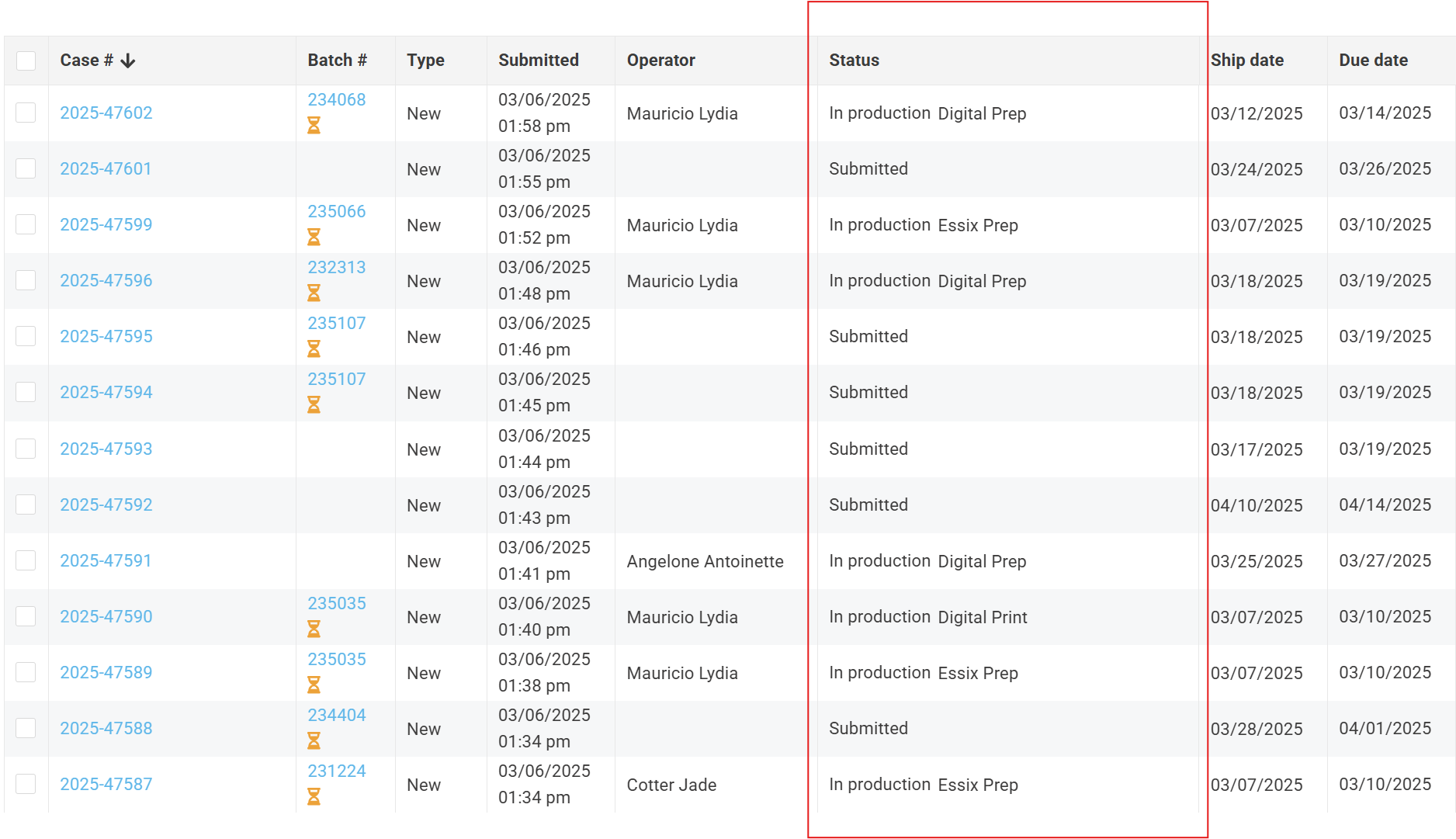
| In Production | In Production cases have been moved into active production by NEOLab staff. |
| Completed | Completed cases have finished production, and have successfully made it through the QC process. The case is marked complete once the QC/Ship production step is marked complete. |
| Cancelled | Cancelled cases have been removed from production at the request of the doctor. These cases are immediately removed from production calculation, and receive no further tracking. NEOLab can only see these cases by selecting the "Cancelled" option in the Production selection of "More Filters". |
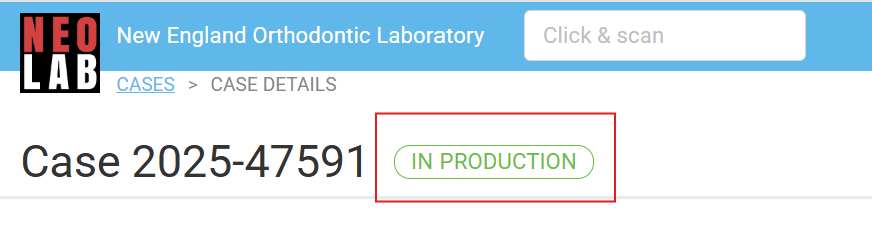
Case status can be found within the case itself, or referenced in lists.
Case Type
There are a number of case types available, including New, Remake/Repair, and Reorder cases.

| New | Cases that have not been received by NEOLab before. This is either the first case for this patient or a new type of case for the same patient. |
| Remake / Repair | Cases that were previously completed by NEOLab, and require additional work. This might be because the appliance broke, the case was made correctly, the case was missing key features, or simply didn't fit. Remake/repair cases are denoted by a wrench icon.  |
| Reorder | Cases that are an exact duplicate of a previous case. This is a common scenario when a patient has lost their retainer. Reorder cases are denoted by a circled arrow icon. Reorder cases are denoted by a circled arrow icon. |
Case Icons
Icons help quickly identify key factors about particular cases. There are many icons that can appear on cases, either individually or in combination.
 | Incoming. The case is physical and is currently in the mail on the way to NEOLab. |
 | Rush Case. The doctor paid an additional fee to have this case rushed through production. |
 | EasyRx. The case was created in RX Wizard, and sent to a connected EasyRX account. |
 | Assigned. The case has been assigned to you or another user, in order to move the case from Submitted to Acknowledged. |
 | Paused. There was a problem with the case, and it has been pulled out of active production while the issue is being resolved. |
 | Behind Schedule. This case has production steps that have not been completed by the expected date. |
 | Remake Case. This case has returned to NEOLab to be fixed or reworked. |
 | Reorder Case. This case is a duplicate of a case that NEOLab already shipped. |
 | Contains Non-Existing Options. This case contains an appliance that had recent changes in the prescription in automapping. Doctors would not be able to choose one or more of the prescription options if they were to resubmit this case. |
 | Testing. This case contains automapping options that are being tested, and haven't been released to doctors yet. |
 | In Production. This case is in active manufacturing. |
 | Completed. This case has completed active manufacturing. |
 | UPS Tracking. This case has been shipped back to the doctor, and has a UPS tracking link. Click the icon to access the tracking information. |
 | Ship to Patient. This case is being shipped directly to a patient, rather than back to the office. Click the icon to access the tracking information. |
 | Attachments. This case has attachments, either uploaded by the doctor or added by NEOLab. |
Appliance Types
NEOLab manufactures more than 150 different orthodontic appliances. These individual appliances are grouped, first by Type, and then by Category. These groupings help to identify the general features of appliance, but also help to calculate the production numbers visible throughout RX Wizard.
In general, the appliance organization chart looks like this, with each step down becoming more specific:
1. Type
a. Category
aa. Appliance
Types are used by doctors when creating new prescriptions. Selecting an appliance Type means that fewer options are displayed, rather than searching through 150 possible prescriptions.

There are eight (8) main types of appliances.
| Model | This type includes 3D printed models, without an accompanying appliance. | |
| Essix | This type includes clear essix retainers and clear retainers. | |
| Fixed | Appliances that are cemented to the teeth, and remains in the mouth throughout treatment. This type includes expanders, distalizers, space maintainers, habit breakers, and fixed functional. | |
| Removable | Appliances that are able to be removed and inserted into the mouth by the patient throughout treatment. This type includes retainers, spring aligners, splints and nightguards, mouthguards, and removable functional. | |
| 24 Hour | This type contains many of the same options as Essix, but are available on an accelerated turnaround time (24 hours in lab versus 2 weeks in lab) | |
| 3D Appliance - SLS | This type contains all the same options as Fixed, but with a different type of band and manufacturing process. These appliances can be digitally designed and the metal can be 3D printed, rather than bending by hand. | |
| 3D Appliance - Splint and Nightguard | This type contains the same options as Splints and Nightguards from Removable, but with a different type of manufacturing process. These appliances can be digitally designed and 3D printed, rather than fabricating by hand. | |
| Supplies | This type contains miscellaneous accessories that doctors order to accompany their appliances. This might include things like expander activation keys, support materials, or shipping supplies. |
Appliance Categories
Within each Appliance Type lie several Appliance Categories. Where Types group appliances by their features, Categories goes one level deeper and groups appliances by their use and function.
There are
| Type | Category | |
|---|---|---|
| Model | 3D Printed Model | These are models that we will print and return to the office. No appliance. |
| Digital Study Model | These are models that are designed digitally and returned as files to the office. | |
| Essix | Essix Retainer | These are clear devices that are used to maintain the position of the teeth following orthodontic treatment. This category includes things like essix retainers, Theroux retainers, and the Digital Essix Package. |
| Clear Aligner | These are clear aligners (like Invisalign). | |
| Fixed | Expander | These are devices that expand the jaw to make more room for teeth width-wise. This category includes things like Rapid Palatal Expanders (RPE), Haas, Quad Helix, and more. |
| Distalizer | These are devices that move molars toward the back of the mouth, making more space length-wise. This category includes things like Distal Jet, Pendex, and Pendulum. | |
| Space Maintainer | These are devices that hold the teeth in a current position, allowing room for other teeth to grow in. This category includes things like Band and Loop, Nance, TPA, and Lingual Arch. | |
| Habit Breaker | These are devices that help to break harmful dental habits, like thumb sucking. This category includes things like Habit Cribs. | |
| Fixed Functional | These are devices that are intended to alter jaw relationship, while being cemented in the mouth throughout treatment. This category includes things like Herbst and MARA. | |
| Removable | Retainer | These are devices that maintain the position of the teeth following orthodontic treatment. This category includes things like Hawleys (Standard Retainers), Bonded Retainers (FLR), and Flippers. |
| Spring Aligner | These are devices that intentionally move teeth into a more ideal position following orthodontic treatment. This category includes Standard Spring Aligners, Super Spring Aligners, and Mushroom Spring Aligners. | |
| Pontic | These are fake teeth that can be used in treatment. This category includes pontics that are ordered as manufactured, or ordered customized to the model provided. | |
| Splint & Mouthguard | These are devices that protect against damage to teeth, either from nighttime grinding or heavy-contact sports. This category includes Acrylic Bruxism Splints and Sports Mouthguards. | |
| Removable Functional | These are devices that are intended to alter jaw relationships, while being able to be removed throughout treatment. This category includes things like Bionator, Twin Block, and sagittals. | |
| 24 Hour | Essix | These are clear devices that are used to maintain the position of the teeth following orthodontic treatment. This category includes the Wicked Quick 24 Hour Essix solution. |
| 3D Appliance - SLS | Expander (3D) | These are devices that expand the jaw to make more room for teeth width-wise, but are digitally designed and printed. This category includes things like Rapid Palatal Expanders (RPE), Haas, Quad Helix, and more. |
| Distalizer (3D) | These are devices that move molars toward the back of the mouth, making more space length-wise, but are digitally designed and printed. This category includes things like Distal Jet, Pendex, and Pendulum. | |
| Space Maintainer (3D) | These are devices that hold the teeth in a current position, allowing room for other teeth to grow in, but are digitally designed and printed. This category includes things like Band and Loop, Nance, TPA, and Lingual Arch. | |
| Habit Breaker (3D) | These are devices that help to break harmful dental habits, like thumb sucking, but are digitally designed and printed. This category includes things like Habit Cribs. | |
| Fixed Functional (3D) | These are devices that are intended to alter jaw relationship, while being cemented in the mouth throughout treatment, but are digitally designed and printed. This category includes things like Herbst and MARA. | |
| 3D Appliance - Splint and Nightguard | Splint (3D) | These are devices that protect against damage to teeth, either from nighttime grinding or heavy-contact sports, but are digitally designed and printed. This category includes 3D Printed Splints. |
| Supplies | Supplies | These are miscellaneous accessories that doctors can order to accompany their appliances. This category includes expander activation keys, support materials, or shipping supplies. |
Products
More information about automapping can be found here.
Production Steps
Due Date
The Due Date is the deadline for the case to be back in the doctors' office. It represents the date that the office needs the case to return the appliance to the patient.
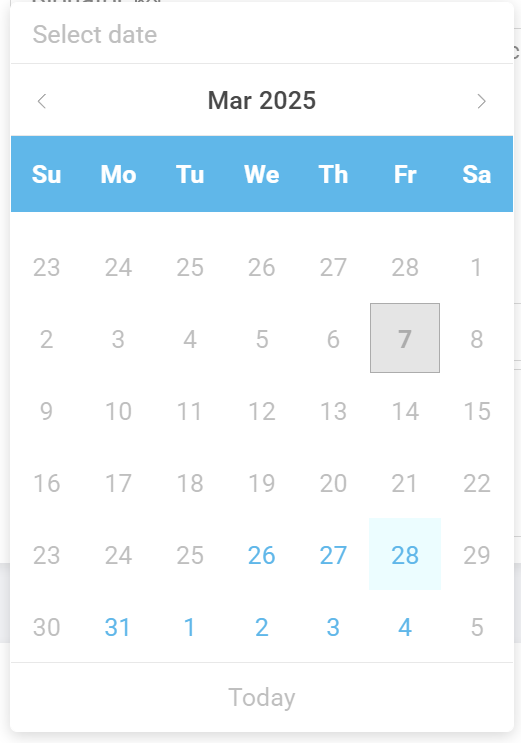
The Due Date is selected by the doctor during case submission. They use the calendar feature to select any date in blue, which indicates that there is still room in production on that day.
Ship Date
The Ship Date is the deadline for the case to leave the lab, to be back to the doctors' office in time. It represents the last scheduled day of production for that particular case.
The Ship Date is automatically generated by RX Wizard, based on the Due Date selected and the total number of shipping days required by the office.
The Ship Date will automatically exclude weekends, holidays, and/or non-production days in its calculation.
| Example 1: | An office has a 1-day shipping time, and has submitted a case due on April 5. The Ship Date will be April 4. |
| Example 2: | An office has a 2-day shipping time, and has submitted a case due on April 5. The Ship Date will be April 3. |
| Example 3: | An office has a 2-day shipping time, and has submitted a case due on April 5, which is a Monday. The Ship Date will be April 1. |
Shipping Methods
An office will always have a shipping method, or a way of returning the case to the doctor.
There are six standard shipping methods available:
| Dropoff | The office will pickup and drop-off their cases directly to NEOLab. |
| Local - Morning Delivery | The NEOLab Courier will pickup and drop-off cases directly to the office, in the morning. |
| Local - Afternoon Delivery | The NEOLab Courier will pickup and drop-off cases directly to the office, in the afternoon. |
| UPS 1 Day Ground | NEOLab will ship the case with UPS to arrive with 1 day in travel. |
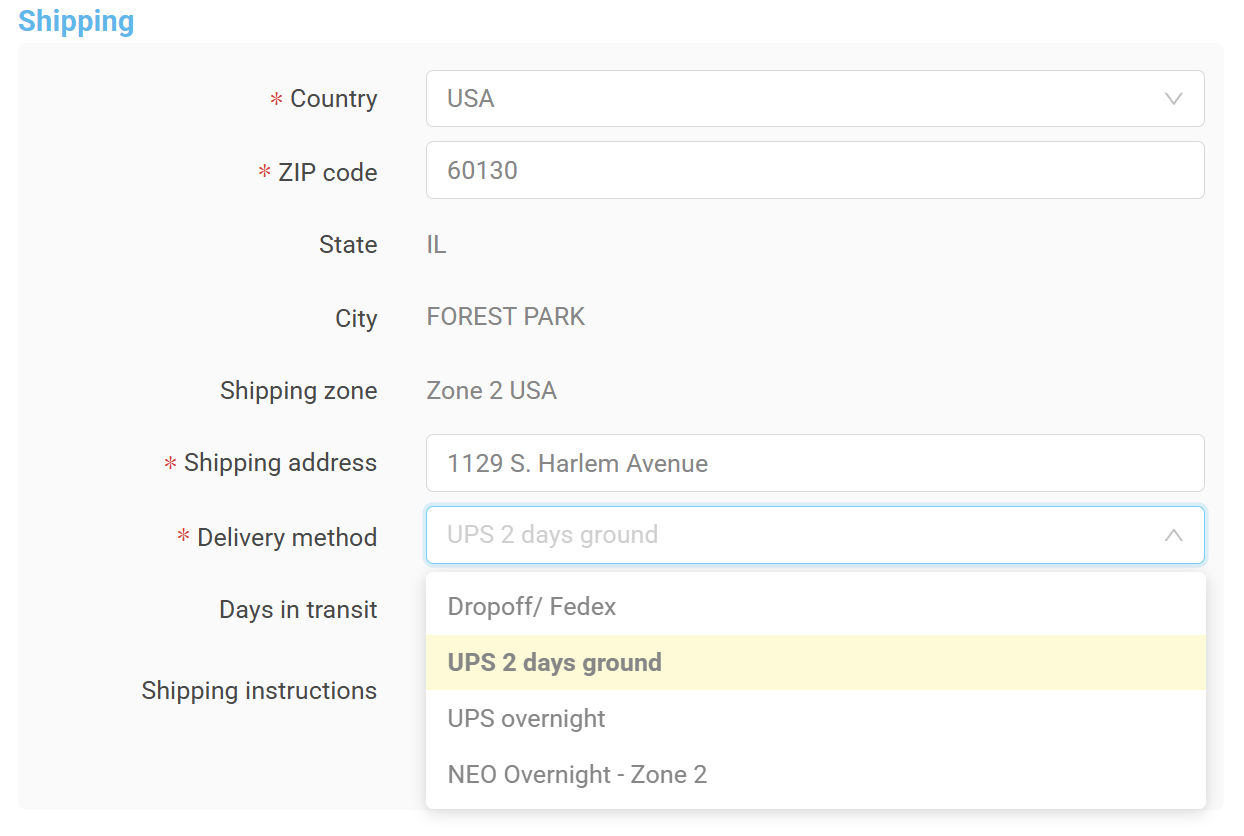
| UPS 2 Day Ground | NEOLab will ship the case with UPS to arrive with 2 days in travel. |
| UPS 2 Day Air | NEOLab will ship the case with UPS to arrive with 2 days in travel. |
| UPS 2 Day Air Canada | NEOLab will ship the case with UPS to arrive with 2 days in travel. Specific to Canadian postal codes. |
The UPS standard shipping methods are automatically assigned to an office based on their delivery zip code. Drop-off or local delivery methods must be updated by hand in the Office tab.
However, there are also other expedited shipping methods:
| UPS Overnight | NEOLab will ship the case with UPS to arrive by the next business day. |
Batches
Batches are a group of cases, shipping the same day, to the same office.
Batches are useful for NEOLab, as they ensure we have a clear knowledge of how many cases need to be in a shipping box before it can be sealed and sent. Batches are useful for doctors, as they reduce overall shipping costs. Shipments are billed per package, not per appliance, so doctors can group their cases together under one single shipping fee.
Batches are primarily managed by the doctors. When the doctor chooses a Due Date during prescription submission, they can see when other cases are set to return to their office. If they click a date with a square box, RX Wizard will automatically create a batch, lowering overall shipping costs.
Batches can also be managed by NEOLab. Several cases can be checked from the main case page, and the "Create Batch" button can be clicked.
More information on creating and working with batches can be found here.
Pause Cases
Occasionally, there is a problem with a case that causes us to pull it out of active production while we wait for an answer or resolution.
Was this article helpful?
That’s Great!
Thank you for your feedback
Sorry! We couldn't be helpful
Thank you for your feedback
Feedback sent
We appreciate your effort and will try to fix the article