Due Dates are selected by the doctor, and indicate the date that the case must be back in the office to meet the patient for their return appointment.
Ship Dates are automatically generated by RX Wizard, based on the selected Due Date and calculated by the shipping time needed to return to that doctors office. Ship Dates indicate the date that the case must leave NEOLab.
Due Dates can be changed:
| By Whom | When |
| Doctor | During case creation |
| Doctor | The case is Submitted, but not yet received by NEOLab |
| NEOLab | The case is Submitted. |
| NEOLab | The case is Acknowledged. |
| NEOLab | The case is In Production. |
| Doctor | The case has been paused, and removed from an In Production status |
Changing a Due Date - Case Edit Page
Most Due Date changes will happen on the Case Edit Page, in the Shipping section.
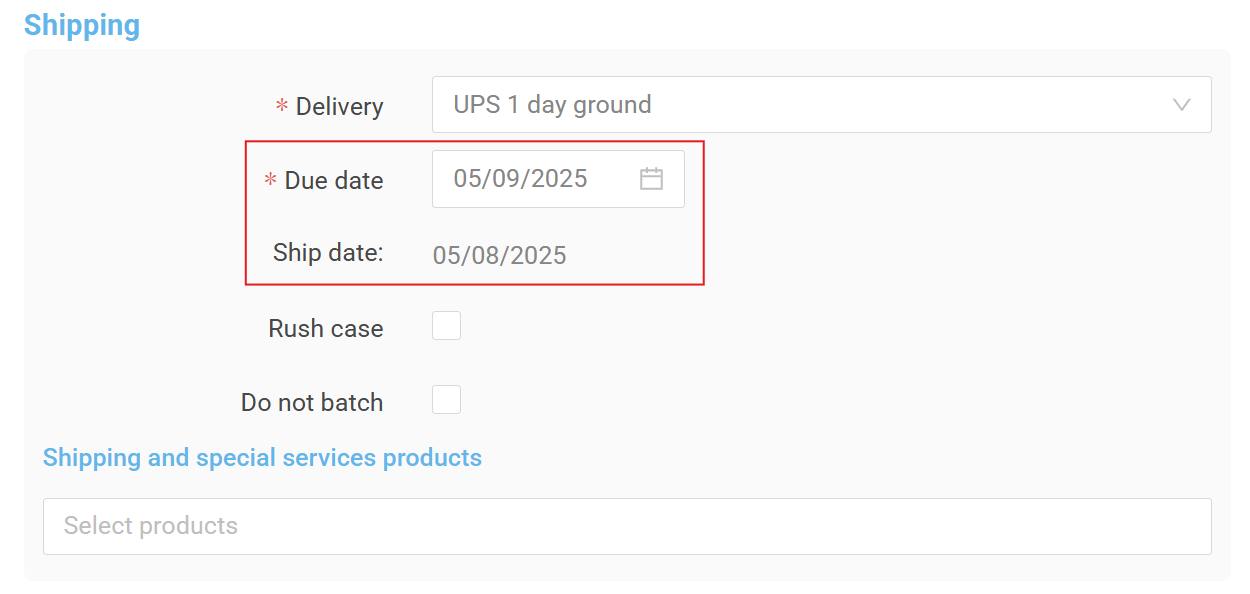
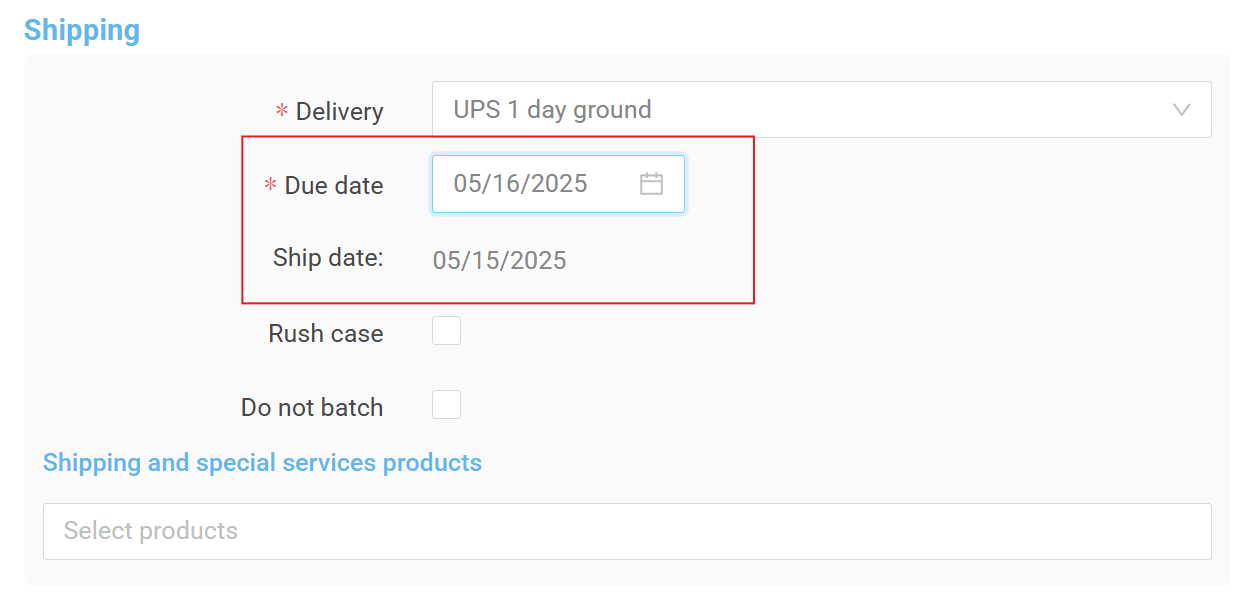
Simply click in the Due Date field, and select the new Due Date. Any batches for the doctor will appear on the calendar. The Ship Date will automatically adjust based on the indicated delivery method.
Before:
After:
Click "Review" to move to the Case Review Page and save your changes.
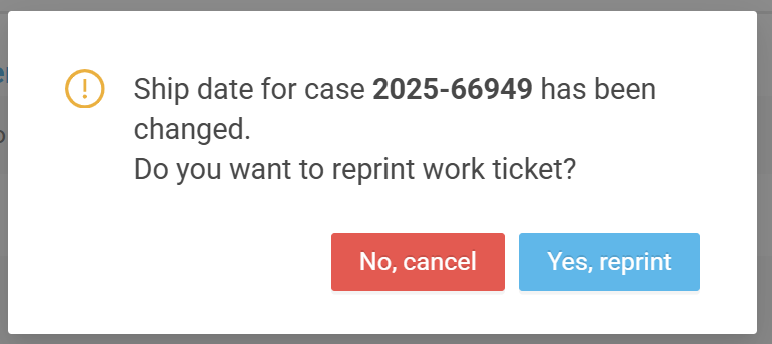
When changing the Due Date, you may need to print a new work ticket to replace the outdated information on the pan. You will be prompted to reprint the ticket when you reach the Review page. 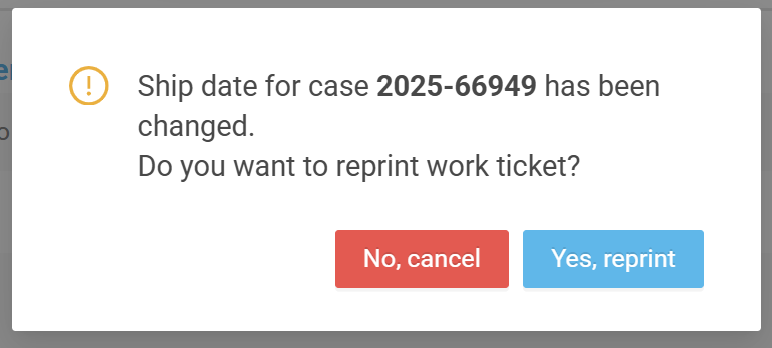
Changing a Due Date - Unpause
You will be prompted to verify and/or change the Due Date when a case is being unpaused. If the case has been on pause for a while, selecting a new Due Date is likely.
Simply click in the Due Date field and choose the new Due Date. Any batches for the doctor will appear on the calendar.
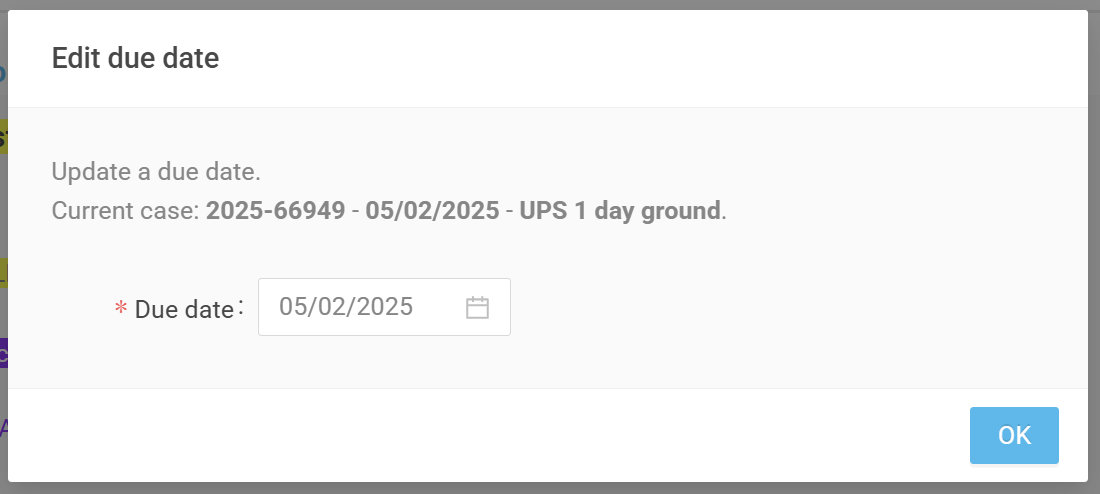
When changing the Due Date, you may need to print a new work ticket to replace the outdated information on the pan. In the pause workflow, you will be prompted to reprint the ticket:
Was this article helpful?
That’s Great!
Thank you for your feedback
Sorry! We couldn't be helpful
Thank you for your feedback
Feedback sent
We appreciate your effort and will try to fix the article