New accounts are constantly joining NEOLab. In order for users to submit prescriptions, they need to be associated to an office. For totally new accounts, we must first create an office.
In the upper right-hand side of the title bar, select the Offices tab.

The Offices page will open. In the upper right-hand corner, select the green "New Office" button.

The "New Office" page will open, which contains a number of different fields, including:
- Overview
- Shipping
- Price & Invoicing
- Logo
- Internal Notes
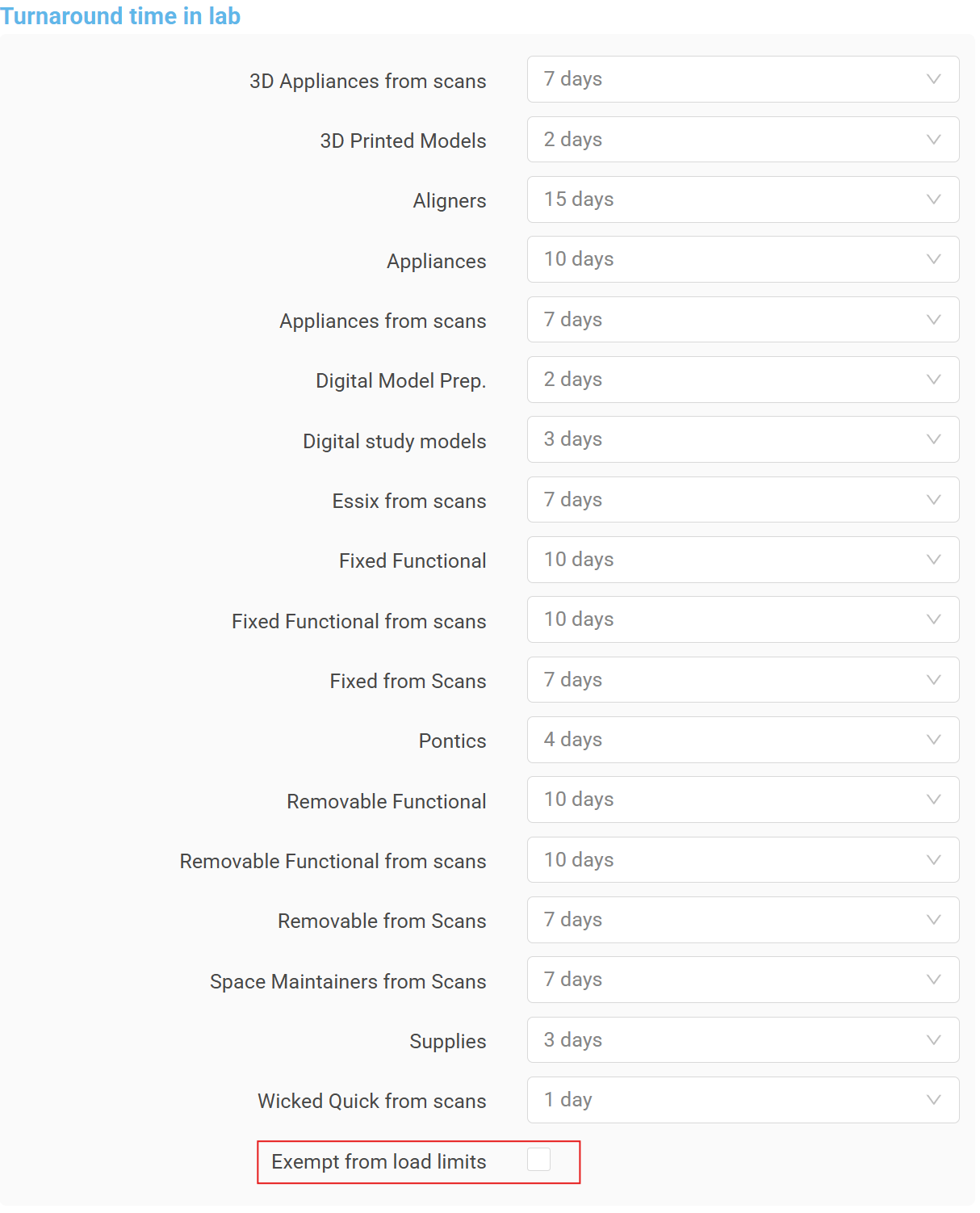
- Turnaround Time in Lab
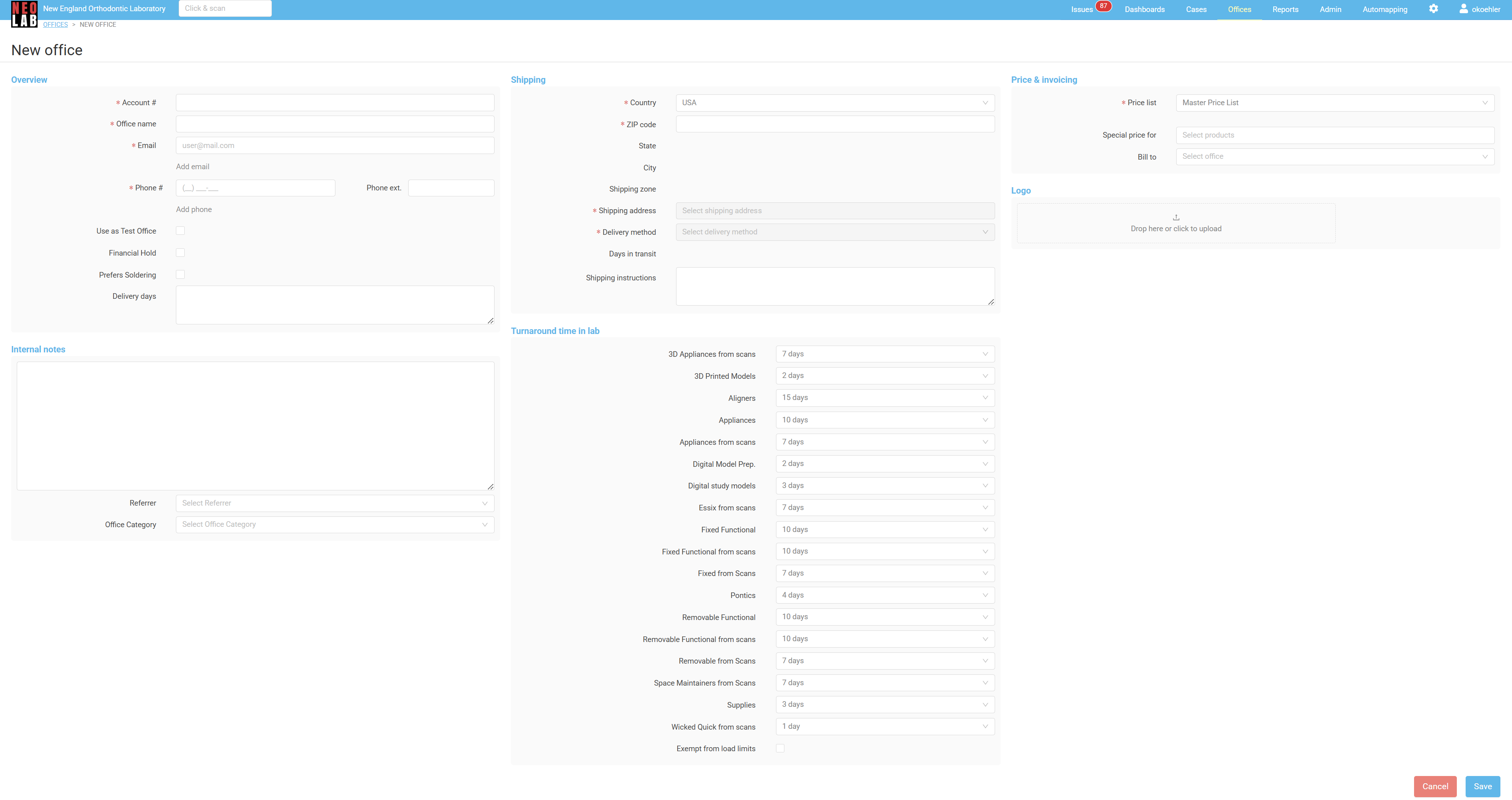
Overview
In the overview section, add information about the office.
| Field | Required Information |
 | Enter the office account number. This number is simply the last six digits of the office phone number. |
 | Enter the office name. This name will appear on invoices, on shipping labels, and in correspondence with the office. This field is required. |
 | Enter the office email. This email is primarily used for invoicing. Multiple emails may be added by using the "Add Email" button. This field is required. |
 | Enter the office phone. This is usually the main office phone number, but may also be the doctor's direct phone, if they prefer. Multiple phone numbers may be added by using the "Add Phone" button. This field is required. |
 | This checkbox is used for offices that need access to prescriptions that are not yet live to the public, and are testing new automapping configurations. In general, do not check this box. |
 | This checkbox is used when offices have not kept up on their invoices, and need to be restricted from ordering new cases. Because this is a new office, this box will not be necessary. Do not check this box. |
 | This checkbox is used when offices prefer soldering over laser welding for their Fixed appliances. Because this is a difference from our usual procedures, we want an indicator to show up on cases for this office. Only check this box if the doctor has indicated specifically that they want their appliances soldered. |
 | While NEOLab is a national laboratory, some of our accounts are local enough for us to deliver their cases with a courier. These offices will be marked as "Local Delivery - Morning" or "Local Delivery - Afternoon" in the Shipping section. For these offices, we should note what days they are open to receive cases. |
Shipping
In the shipping section, add information about the office's address.
| Field | Required Information |
 | Select the country. USA is default, but Canada may also be selected. NEOLab is unable to ship to countries other than USA or Canada. |
 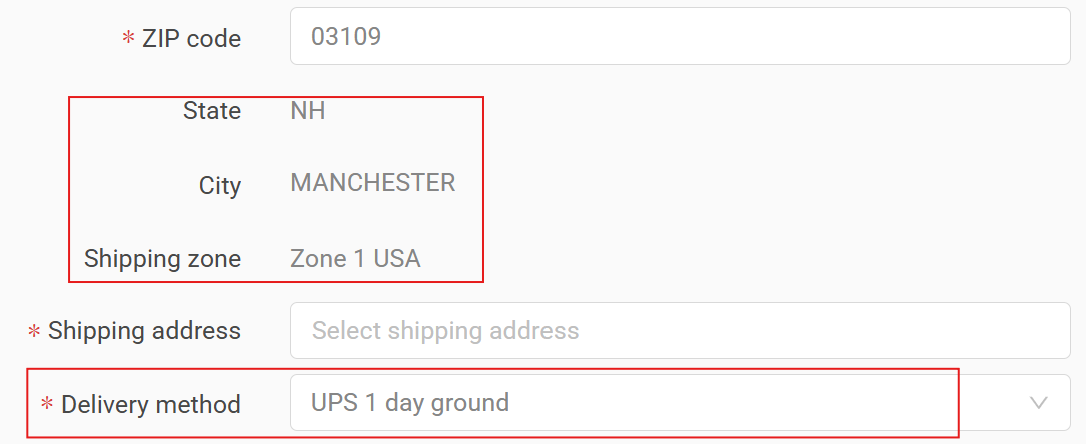 | Enter the zip code. After entering the zip code, the State, City, Shipping Zone, and Delivery Method will auto-populate. The Zip Code field is integrated with UPS. If you do not enter a valid zip code, you will see an error message: 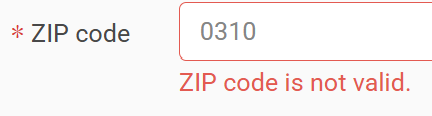 |
 | Enter the shipping address. This field is integrated with UPS, and will start searching for valid address matches as you type.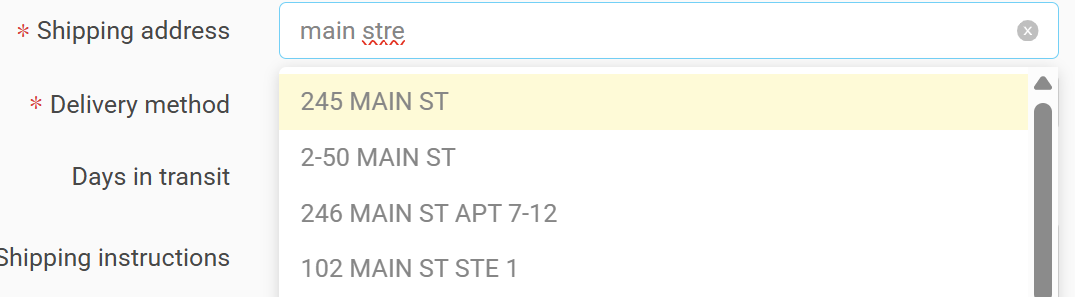 |
 | Confirm the delivery method. This field will automatically populate after the zip code is entered, adding the default delivery method required to get a case from the lab back to the office. Most of the time, this field is correct as is. If needed, the default delivery method can be changed: 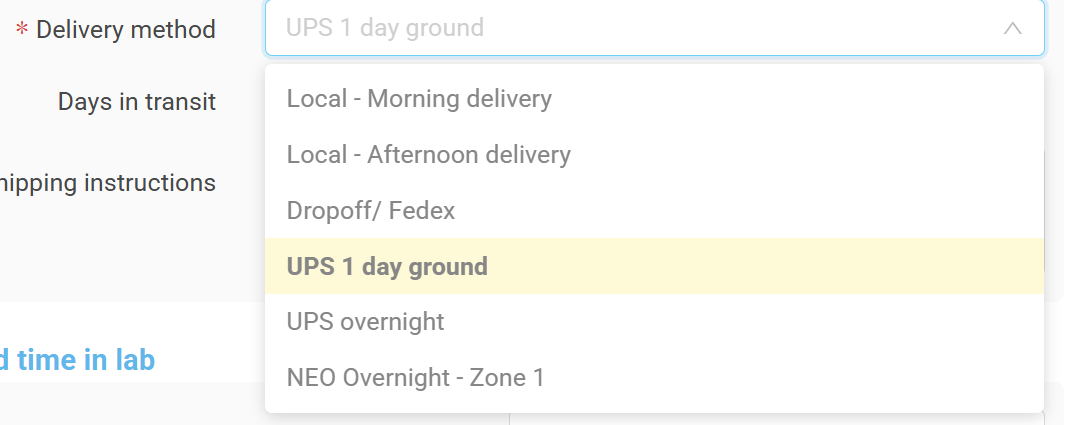 Because the default delivery method from the lab is through UPS, the method will need to be changed for offices that will receive courier services (Local - Morning Delivery and Local - Afternoon delivery), or offices that will drive to the lab to pick up their cases (Dropoff/Fedex). |
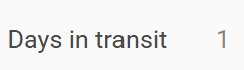 | This field is not editable, but will display the number of transit days required between the lab and the office, dependent on the delivery method chosen. |
 | Add shipping instructions, if relevant. This may include notes like "delivery entrance in back" or similar. Mostly, this field is blank, but can be especially useful for offices who receive courier services. |
Price and Invoicing
The price and invoicing section controls which price list offices are billed by, as well as setting any special prices per product for this individual office.
| Field | Required Information |
 | Confirm the price list. The default price list for all new accounts is the Master Price List, and will charge the office our standard price for all products. Usually, this field does not need to be changed. However, sometimes offices are part of larger buying groups, like Mari's List, Pragmatic Elite, or Pragmatic Ortho. Other times, the office might receive a discount from a special agreement with NEOLab. If the default price list needs to be changed, select from the list of available price lists. 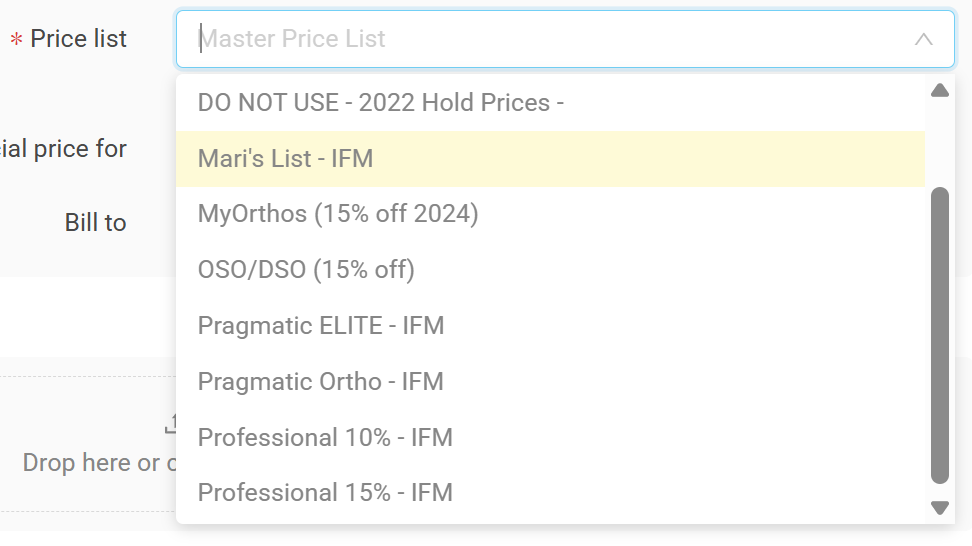 |
 | Special prices can be set per individual product, and the office will be charged something other than the price list charge on that specific item. Usually, this field is blank at account setup. |
 | Offices often have more than one practice location, and often bill through a central main location. The default setting is that offices will be billed directly, but if the bills should go to another location, search for and enter the practice here. |
Logo
While totally optional, offices will sometimes provide their logo for us to use in certain dedicated marketing efforts or as a sticker to add to certain appliances. If the office has given you a logo, you can upload it in this section to be stored in the office file.

Internal Notes
Add any internal notes that should be remembered when dealing with this office.
| Field | Required Notes |
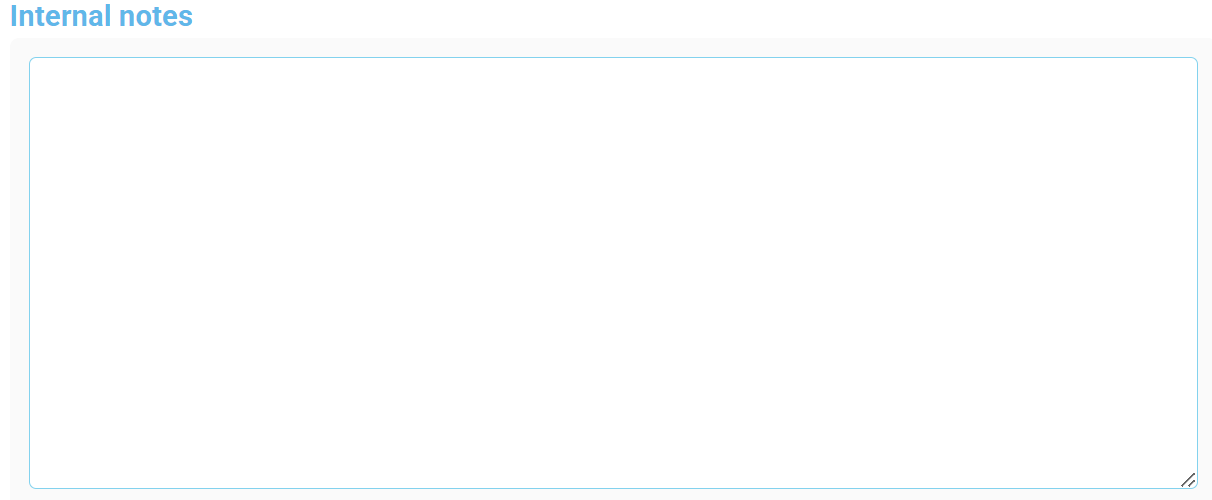 | This open text field is often used to add notes about how we got the account, things that were relevant during the setup process, or what their main interest in appliances is. Here are some examples:   |
 | Add notes about how we gained this account. Common entries are "Spoke with Admin" when the office spoke with someone at a tradeshow, or "Referral - Other" if they heard about us from a friend or colleague. |
 | Add the office category. This field captures information about the type of office.
|
Turnaround Time in Lab
Each category of appliance has as default turnaround time, or required amount of time in the lab. Most often, these fields will not need to be edited, and can be left as is. Sometimes as we work with accounts we change these fields to offer them special and lower turnaround times on select appliances.
At the bottom of this section is the "Exempt from Load Limits" checkbox. This is checked when an office should be allowed to submit cases according to turnaround times, even once production limits have been reached. Usually, this checkbox is left unchecked during account setup.
Was this article helpful?
That’s Great!
Thank you for your feedback
Sorry! We couldn't be helpful
Thank you for your feedback
Feedback sent
We appreciate your effort and will try to fix the article